

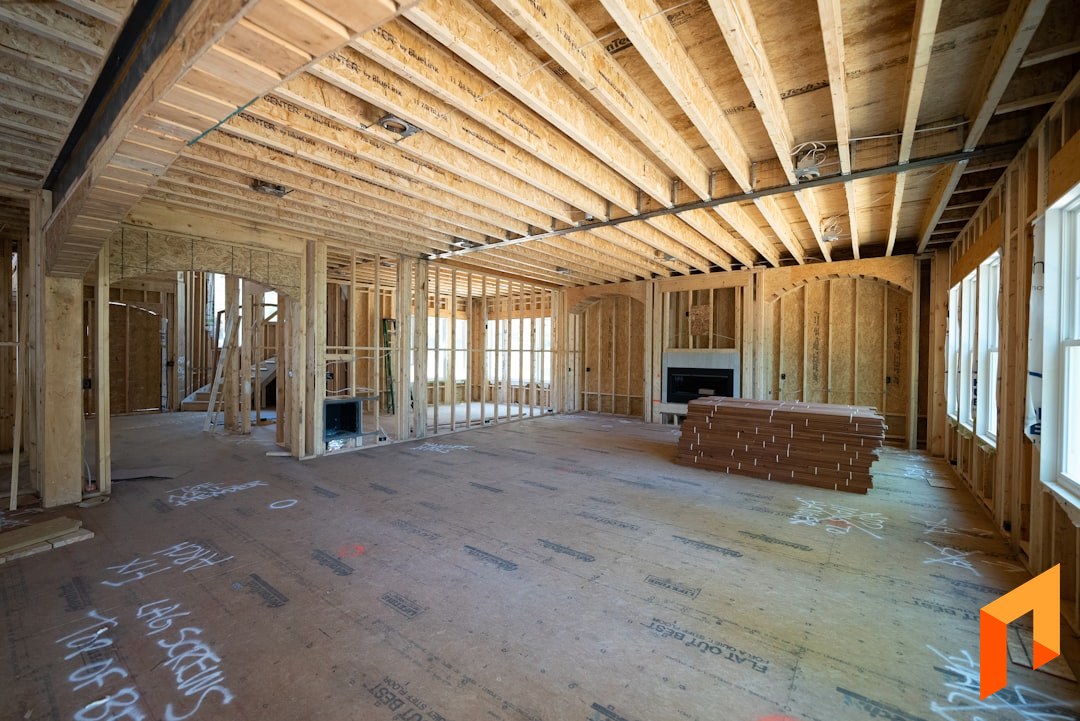
A custom home builder we talked to recently closed out a $1.2 million build that should have produced an 18% gross margin. The final number was 4%. The framing crew ran 240 hours over budget across three phases, the tile allowance overshot by $7,400, and two subcontractor change orders never made it into the actuals. By the time the bookkeeper reconciled everything in QuickBooks two weeks after final draw, there was nothing to fix. The job was already closed.
This is what happens when you do not run real job costing on a custom home. Not "we tracked our costs in a spreadsheet" job costing. Real, weekly, phase-by-phase, labor-versus-budget job costing. This guide walks through how to do it properly.
Note
TL;DR: Job costing for custom home builders is the practice of tracking actual cost (labor, materials, subcontractors, equipment) against your original budget on every active phase, weekly. Custom builds differ from production builds because every plan is unique, so you cannot rely on historical per-square-foot averages. The four buckets you must track on every job: labor hours and burden, material invoices, subcontractor payments, and equipment. Catch a variance in week 2 and you can adjust scope. Catch it at closeout and you eat it.
Note
Book a demo to start your 30-day free trial. Build your first estimate, send a proposal, and track actuals against budget on your next custom home in under an hour. Book a demo.
What Is Job Costing for Custom Home Builders?
Job costing for custom home builders is the process of tracking every dollar spent on a specific project against the original budget for that project, broken down by cost category and construction phase. For custom builds, this happens at the level of an individual home, not an aggregated portfolio, because no two projects share the same plan, allowances, or site conditions.
The distinction from production builder job costing matters. A production builder running the same floor plan 40 times a year can rely on historical averages. Their per-square-foot framing cost on plan A is a known number, and a variance of 3% triggers an immediate flag. A custom builder building one $2.5M home on a sloped lot and a $900K home on a flat infill lot in the same quarter cannot use averages. Each job needs its own budget, its own actuals, and its own reconciliation.
There are four cost buckets every custom build must track:
- Labor: your in-house crew's hours and fully-burdened rate (wages plus payroll tax, workers' comp, insurance, PTO)
- Materials: every supplier invoice, allowance draw, and field purchase, tagged to a phase
- Subcontractors: framing, mechanicals, finishes, anything you do not self-perform
- Equipment: rentals, fuel, owned equipment hours allocated to the job
If you only track three of the four, you are flying partially blind. Most builders who say "we do job costing" are really only tracking material invoices and subcontractor payments. Labor is the one that quietly kills margin, and it is the hardest to capture without a system. For the underlying pricing math on markup and margin, see our construction markup and pricing guide.
Why Custom Home Builders Lose Money Without Job Costing
Custom home builders lose money without job costing because the variances that erode margin (labor overruns, allowance overages, uncaptured change orders, subcontractor markups not passed through) are invisible until reconciliation, which usually happens after the project is closed. By then, every decision that could have protected margin has already been made.
The 2023 NAHB Cost of Doing Business study found the average builder gross margin was 20.7%, with net at 8.7%. That gross is the highest reading since 2006, and it is still thin enough that a single uncontrolled phase can swing a job from profitable to break-even. Labor alone runs 30 to 35% of new residential construction cost according to NAHB's cost breakdown, which means a 10% labor overrun on a $1M build is $30,000 to $35,000, more than the entire net profit on that home.
The four scenarios that quietly drain custom builds:
- Framing labor overruns. Your crew estimates 320 hours and burns 410. If you only see it at job close, you are eating 90 hours of burdened labor. If you see it in week 3, you can adjust scope, push the schedule, or have the conversation with the client.
- Allowance overages. Client picks tile that runs $14 per square foot against a $9 allowance. If the upcharge does not flow into a written change order with your markup applied, you eat the delta and the cost of carrying it.
- Uncaptured subcontractor markups. Your plumbing sub adds $4,200 for a fixture upgrade. Your standard sub markup is 15%, which would price the upgrade at $4,830. If that markup never makes it into the actuals, you just absorbed it.
- Change orders that never flow into actuals. The client approves an extra outlet, a different cabinet layout, and a tile upgrade across three site visits. Without a documented change order workflow, those costs hit your budget but never your billing. For the workflow that prevents this, see our guide to managing change orders without losing margin.
What Should You Track on a Custom Home Build?
You should track labor, materials, subs, and equipment at the phase level on every custom build, with a phase budget that mirrors how you scope the job. The standard phase breakdown for a custom home is sitework, foundation, framing, mechanicals, exterior, interior finishes, and final punch. Each phase has its own budget, its own actuals, and its own variance.
Here is what to capture in each phase:
- Sitework. Excavation hours and equipment, soil hauling, temp utilities, erosion control, surveyor fees. Sitework variances usually come from unknown subsurface conditions, so build a contingency line.
- Foundation. Concrete yardage and pump fees, rebar, formwork labor, waterproofing, drainage. Allowance line for unexpected over-excavation.
- Framing. This is the single highest-risk phase for labor variance on a custom build. Track hours by crew, by floor, against your takeoff. Lumber and engineered wood by line item.
- Mechanicals. HVAC, plumbing, electrical, low-voltage. Mostly subcontractor cost, but track any in-house coordination time.
- Exterior. Siding, roofing, windows, exterior trim, paint. Watch for allowance overages on window upgrades, which are a common scope-creep zone on custom builds.
- Interior finishes. Drywall, paint, flooring, tile, cabinets, countertops, plumbing fixtures, lighting, hardware, appliances. The largest cluster of allowance items and the most common source of client-driven change orders.
- Final punch. Closeout labor, touch-ups, deficiency repairs, owner-requested adjustments. Often forgotten in budgets and consistently overrun.
For each line in each phase, you want three numbers visible at all times: original budget, committed (POs, signed sub contracts, approved change orders), and actual to date. The variance is the difference. If you have all three live, you can intervene before the cost is sunk.
How Often Should You Run Job Cost Reports?
You should run job cost reports weekly for active phases and monthly for the whole-project review. Daily is overkill for most custom builders, because daily cost movements are noisy and most decisions are not made daily anyway. Quarterly is too late, because by the time you see a quarter-end report, three weeks of bad labor data has already been billed and paid.
The weekly cadence works because it lines up with how custom builds actually progress. A framing crew turns out a week of work, a sub submits a draw, an invoice batch comes in from the lumber yard, and you have enough new data to make a real call. Pull the report Monday morning, look at variance against budget by phase, and identify the one or two lines that need attention this week.
The monthly review is broader. You look at the whole project, ask whether the trajectory still produces the target margin, and decide whether to flag scope adjustments to the client. This is also when you compare actuals across multiple active builds, which is what tells you if your estimating assumptions are right going forward.
According to a QuickBooks Intuit survey on construction labor tracking, the contractors who track costs in real time catch overruns roughly three weeks earlier than those who reconcile after the fact. Three weeks on a framing phase is the difference between adjusting your crew loading and writing off the variance.
Job Costing in Spreadsheets vs Software
Most custom home builders start in spreadsheets, and the system works fine until you are running three or more active builds. At that point, the time cost of keeping the sheets current overtakes the benefit, and the data quality degrades. Here is the honest comparison.
| Method | Setup Cost | Time to Update Weekly | Breaks At | Real-Time? |
|---|---|---|---|---|
| Spreadsheets | Low | 4-8 hours per active job | 3+ active builds | No |
| QuickBooks alone | Low | 2-4 hours per job | Phase-level reporting | Lagging |
| Dedicated job costing software | Medium | 30-60 min per job | Rarely | Yes |
| Foreman | Low (free trial) | Minutes (live sync) | Rarely | Yes |
The spreadsheet break point hits when one person on the team is spending a full day every week just updating job cost tabs. Multiply that across three or four jobs and you have a full-time cost just maintaining the books, before any real analysis happens. McKinsey's analysis of construction technology adoption found productivity in firms could rise 50 to 60% with the right digital tools in place, and job costing is one of the highest-leverage places that gain shows up.
QuickBooks alone is better than spreadsheets, but it is an accounting tool, not a job costing tool. It gives you job-level totals but does not natively break costs into construction phases or surface variance against budget in real time. You can shoehorn job costing into QuickBooks with classes and items, but the workflow is brittle and the reports are slow.
Dedicated construction software is where most custom builders land at scale. The trade-off is learning curve and price, which is why so many builders shop the alternatives carefully. For a deeper breakdown of the options, see our best construction management software for small contractors guide and our CoConstruct alternatives roundup.
Note
Foreman gives custom builders real-time job costing tied to your estimate, with actuals flowing in from QuickBooks and field invoices automatically. Book a demo.
How AI Is Changing Custom Home Job Costing
AI is changing custom home job costing in three specific places: takeoffs at the front end, data entry through the middle of the build, and real-time variance detection at the back end. None of these were available to small custom builders three years ago, and the gap between builders using them and builders still typing line items into Excel is widening every quarter.
AI takeoffs from plans. Upload a PDF of architectural drawings and modern AI tools read the floor plans, identify dimensions and areas, and populate quantities into your estimate. For a custom build with a unique plan, this collapses what used to be a 4-to-6-hour Bluebeam session into about 20 minutes. The output is grounded in the actual drawings, which means the budget you set is closer to reality from the start.
Automated data entry. Photographing a supplier invoice with your phone and having an AI extract vendor, amount, line items, and project automatically removes the largest source of friction in real-time job costing. Most contractors do not track in real time not because they do not want to, but because the data entry burden is too high. Remove the entry friction and the cadence becomes feasible.
Real-time variance detection. Once your budget and actuals are both in the system, AI can flag the variance lines that need attention before you ask for them. A 12% overrun on framing labor in week 3 surfaces as a notification instead of buried in a report.
Foreman ships AI takeoffs, an AI assistant for estimating and project queries, and a budget view that surfaces variance live. For a broader view of how contractors are using AI in 2026, see our AI tools for contractors guide.
Frequently Asked Questions
What's the difference between job costing and project accounting?
Job costing is the operational practice of tracking cost against budget at the phase or line-item level while the project is active, so you can make decisions during the build. Project accounting is the financial close, the reconciliation that produces the official P&L for the job after it is complete. You need both, but they serve different purposes. Job costing is for management, project accounting is for reporting. Many builders only do project accounting, which is why they only see margin damage after it is too late to fix.
When should I add labor burden to job costs?
Always, and at the time you record the labor hours, not at the end of the job. Labor burden (payroll taxes, workers' comp, insurance, PTO) typically adds 25% to 45% on top of base wages, and a job costed at base wage only will look 25-45% more profitable than it really is. Your job costing system should multiply field hours by your fully-burdened rate automatically. If you are using spreadsheets, build the burden multiplier into your labor formulas and update it whenever your insurance rates change.
How do I handle overhead allocation across multiple jobs?
The cleanest approach for custom builders is to calculate an annual overhead rate (total yearly overhead divided by total direct job costs) and apply that percentage to every job as an additional cost line. If your overhead rate is 18%, every $100K job carries an $18K overhead allocation in addition to direct costs. Some builders prefer per-job allocation by square footage or estimated duration, but the percentage method is simpler and more accurate for a portfolio of variably-sized custom homes. The 2023 NAHB data shows the gap between gross and net margin is roughly 12 points, which is mostly overhead.
What's a healthy gross margin for a custom home build?
The 2023 NAHB Cost of Doing Business study reported an average gross margin of 20.7% for builders, the highest reading since 2006. The Association of Professional Builders recommends 25% to 35% for custom builders specifically, on the basis that custom scope carries more risk and unpredictability than production work. A practical target for a small custom builder is 22% to 28% gross, which after typical 12-point overhead leaves an 8% to 16% net, in line with industry leaders. Below 18% gross, you are at risk of breaking even after a single overrun.
How do I cost out a job that hasn't started yet?
Build a preliminary budget that mirrors the phases of the build (sitework, foundation, framing, mechanicals, exterior, interior finishes, final punch), with line items for labor hours, materials, subcontractors, and equipment in each phase. Use historical actuals from similar past builds as your benchmark, but apply current pricing to materials and subs by requesting quotes upfront on the largest cost lines. Add an explicit contingency line of 5% to 10% for known-unknowns. Lock the budget once the plans are final and treat any scope change as a written change order. For a head start, see our free construction estimate template.
Can I use my proposal as the basis for my job cost budget?
Yes, and you should. The proposal is the contract version of the budget, and the line items in your accepted proposal are the budget lines you measure actuals against. The cleanest workflow is to build the estimate in software that carries the same line structure all the way through to job costing, so the accepted proposal becomes the budget automatically without re-entry. If you write proposals separately from your job costing system, you create a reconciliation gap that almost always loses fidelity. For the proposal side of this workflow, see our construction proposal guide.
Note
The custom builders making real margin in 2026 are the ones running weekly job cost reviews on every active build. Foreman makes that workflow take minutes instead of hours. Book a demo.
A custom home job is too big, too complex, and too unique to manage by reconciling after the fact. The builders who hit their 20-plus percent gross margins year after year are running weekly job cost reviews on every active phase, catching variances while they can still adjust, and treating the job costing report as a management tool, not an accounting artifact.
Start your next build the right way at Foreman. Free to try, no card required, and your first estimate, proposal, and job cost setup can all happen in an afternoon.


