

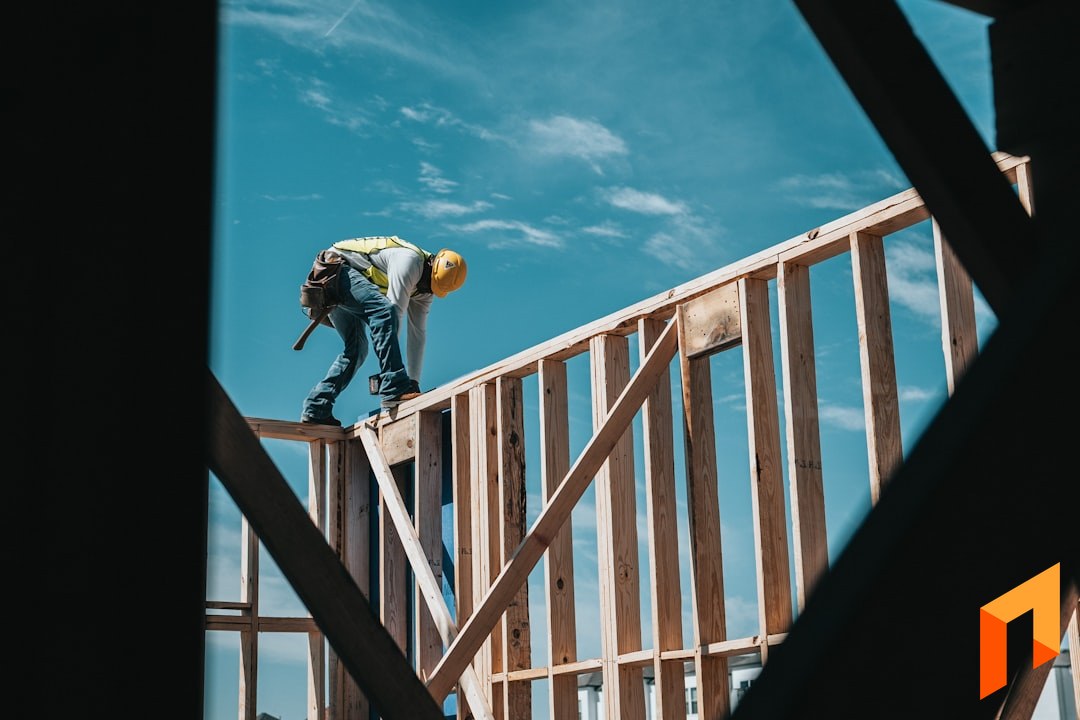
Framing and rough carpentry is a volume-and-precision game. Margins are thin, the material takeoff is unforgiving, miscount your studs, joists, headers, or sheathing and you eat the difference or blow the schedule waiting on a second lumber delivery, and the crews move fast between projects. The software that runs a framing business has to keep up with all of that without becoming a second full-time job to maintain.
That's why "best framing software" doesn't have one clean answer. Some carpentry contractors want a dedicated lumber-takeoff engine that counts board feet off a plan. Most need something more fundamental: fast material takeoffs, accurate framing estimates, a professional proposal the client or GC can sign online, a schedule that keeps crews moving between projects, crew job costing that tells them whether they actually made money, and clean invoicing that syncs to QuickBooks.
This guide walks through the tools framing and carpentry contractors actually use, what each one is genuinely good at, and where each one falls short, so you can match the software to how your business runs instead of forcing your business to fit the software.
What Framing & Carpentry Contractors Actually Need From Software
Before the picks, here's the checklist most framing and rough-carpentry companies are trying to cover. Almost no single tool nails all of these, so knowing which ones matter most to you is the whole game.
- Lumber takeoffs and material estimating. Framing estimates hinge on accurate counts: studs, plates, headers, joists, rafters and trusses, beams, sheathing, blocking, hangers, and fasteners. Speed matters, because the framer who gets a clean, credible number to the builder or homeowner first often wins the work.
- Estimating and budgets. A framing quote is only as good as the structure behind it. You want line items grouped the way you actually build, walls, floors, roof, sheathing, so the estimate doubles as the budget you track against.
- Client- and GC-friendly proposals with e-sign. Whether you're bidding to a general contractor or straight to a homeowner, a branded, easy-to-read proposal that can be approved and signed online, generated straight from the estimate, closes work faster than a retyped spreadsheet.
- Scheduling. Framing crews move quickly between projects. You need to see which crew is on which project, what's booked, and what's next, without a whiteboard or a group text.
- Crew and job costing. Knowing what a framing project actually cost, labor hours plus that lumber price swing, versus what you estimated is how carpentry contractors protect a thin margin.
- Invoicing and QuickBooks. Invoicing, deposits, progress draws, and clean two-way sync with QuickBooks so your books aren't a second job.
Now the picks, organized by what each tool is best for.
Note
The short version: If you want one platform to actually run framing projects end to end, take off the lumber, estimate, send a proposal with e-sign, schedule crews, track job costs, and bill, at a flat predictable price, look at Foreman. Buildertrend and JobTread are broader general-construction PM tools some framers use. Contractor Foreman is a budget, tiered option that feels dated. And dedicated framing and lumber-takeoff point tools exist, but they aren't full project-management platforms, so you pair them with something that runs the rest of the business.
Foreman — Best All-in-One for Running Framing Projects
If your carpentry business runs on projects, you take off a frame, order the lumber, schedule a crew, and bill against the work, Foreman is built to run the whole thing in one place at a predictable price. Its honest lane is running the business end to end, not being a specialized structural-engineering package. But for everything from takeoff to invoice, this is where an all-in-one earns its keep.
The pitch is simple: stop stitching together a takeoff spreadsheet, a proposal app, a scheduling tool, and QuickBooks. Run it in one system.
AI Plan Takeoffs
Upload a framing plan or drawing and Foreman's AI reads it, identifying dimensions and measurable areas and lengths to help populate your estimate with real quantities instead of guesses. For a framer doing takeoffs by hand, walls by the linear foot, sheathing by the sheet, joists by the count, it cuts the slowest part of quoting down to minutes. See how it works on our takeoffs feature page.
Section-Based Estimating and Budgets
Foreman's estimating is section-based, so you scope a frame the way you actually build it: demo, floor system, wall framing, roof framing and trusses, sheathing, and blocking. Each section carries its own line items, quantities, unit costs, and markup, and it doubles as your project budget, so you can track estimated versus actual cost as the build runs. That's how you protect margin when lumber prices move mid-project. See the budget feature for how estimate-to-actual tracking works.
Proposals With E-Sign
Build the estimate, then generate a clean, branded proposal from it with one click. No re-keying numbers into a separate document. The GC or homeowner gets a professional, easy-to-read proposal they can approve and sign online, and when they sign, the numbers are already in your system, ready to become a project.
Scheduling
Foreman includes scheduling so you can see which crew is on which project and what's booked next, the everyday coordination problem for a framing company juggling several projects at once through a busy season.
Crew Job Costing and Two-Way QuickBooks
Track labor and material cost against each project, invoice against the work, collect deposits and progress draws, and sync it all to QuickBooks with a genuine two-way connection so your books aren't a second job. This is the piece the takeoff-only and CRM-only tools tend to leave you to solve yourself.
Flat, Predictable Pricing
Here's where Foreman is deliberately different from most of this list: pricing is flat and clients and subs are free. $199.99 per month billed annually, plus $20 per seat, covers estimating, proposals with e-sign, scheduling, job costing, plan measuring, and QuickBooks sync, all in the base price. Clients and subcontractors never cost a seat, and your price never scales with your revenue. For a framing company that wants one system and a bill it can predict, that's the appeal.
Best for: framing and carpentry contractors of any size who want full takeoffs, estimating, proposals, project management, and financials in one flat-priced tool.
Run your framing projects — takeoff to invoice — in one place.
Book a demoBuildertrend — Best for Larger, Build-Heavy Firms
Buildertrend is a mature, full-featured construction management platform aimed at homebuilders and remodelers. Framing and carpentry companies that work closely with production builders, or that self-perform beyond just the frame, sometimes use it.
Strengths. Deep feature set: scheduling, client communication, selections, budgets, change orders, and document management, all built for residential building. If your carpentry work sits inside larger, more custom projects, there's a lot of capability here.
Trade-offs. It's priced and structured for larger residential builders, and the cost and learning curve reflect that. For a focused framing subcontractor, a lot of the platform is machinery you won't touch, and the estimating isn't shaped around fast lumber takeoffs. Expect a bigger commitment of both money and setup time than a lean framing operation usually wants. See our full Buildertrend comparison for the detail.
Best for: larger firms doing custom, build-heavy residential work who want a broad PM platform.
JobTread — Best Budget-First General Construction PM
JobTread is a newer, well-regarded construction management platform with strong estimating and cost tracking and flat, published-style pricing that appeals to contractors tired of per-seat surprises. Plenty of framers who want structured estimating and job costing land on it.
Strengths. Genuinely good estimating and budget-to-actual cost tracking, a clean modern interface, and pricing that stays predictable as you grow. It handles the project-management fundamentals well and has built a strong reputation among general contractors and remodelers.
Trade-offs. It's built for general construction workflows rather than anything framing-specific, so there's no lumber-takeoff intelligence or carpentry-shaped estimating out of the box, you build that yourself. Per-user fees still add up as your team grows, and it leans on you to configure it around your process. It's a strong general PM tool, not a framing tool. Our JobTread comparison goes deeper.
Best for: framing contractors who want a solid, budget-first general construction PM platform and don't mind configuring it to their workflow.
Contractor Foreman — Best Budget, Tiered Option
Contractor Foreman is a low-cost, broad construction management tool that covers a wide range of features across estimating, scheduling, and project tracking. For a framing contractor mainly shopping on price, it's one of the more affordable ways to get a lot of modules under one login.
Strengths. Inexpensive relative to most of this list, with a wide feature checklist: estimates, invoices, scheduling, time tracking, and more. If your priority is covering many bases cheaply, it packs a lot in.
Trade-offs. The breadth comes with depth trade-offs, and the product is tiered, so the features you actually want may sit on a higher plan than the entry price suggests. The interface feels dated and busy, and it isn't shaped around framing or carpentry work specifically. It's a capable generalist at a low price, not a purpose-built framing platform.
Best for: budget-conscious framing contractors who want broad feature coverage and are comfortable with a tiered, older-feeling generalist tool.
Dedicated Framing & Lumber-Takeoff Tools — For Counting Material, Not Running the Business
Separate from all of the above, there's a category of dedicated framing and lumber-takeoff software focused on one thing: counting material off a plan, studs, plates, joists, rafters, trusses, sheathing, and board feet, sometimes with structural or panelization logic built in. For high-volume framers who live and die by the material count, these tools can be genuinely powerful at that one job.
Strengths. Fast, detailed lumber takeoffs with framing-specific logic, and in some cases integration with truss design or panel fabrication. If material counting is your biggest bottleneck, a specialized takeoff engine is hard to beat for accuracy.
Trade-offs. These are takeoff and estimating point tools, not project-management platforms. They don't run your schedule, track crew job costs across projects, manage proposals with real signed financial line items, generate invoices, or sync to QuickBooks. The material lists they produce are a starting point, not a full estimate with your labor, markup, and overhead, and definitely not a running project. If you rely on one, you still need a real PM tool underneath it.
Best for: high-volume framers whose single biggest problem is material counting, used alongside a platform that actually runs the projects.
How Takeoff Tools and PM Platforms Fit Together
Dedicated lumber-takeoff tools and project-management platforms solve different problems, and the confusion between them costs framers money. A takeoff engine counts material. A PM platform like Foreman runs the business: the estimate, the signed proposal, the schedule, the crew job costing, and the invoice.
If your single hardest problem is counting board feet at scale, a specialized takeoff tool for that step, paired with a platform that handles everything after the count, can make sense. But most framing contractors don't have one giant takeoff problem, they have a dozen small leaks across quoting, proposals, scheduling, and job costing. Foreman is built to close those. Its AI plan takeoffs handle the material counting for the vast majority of framing projects, then carry those numbers straight into an estimate, proposal, schedule, and invoice without re-keying into four different apps.
The mistake is expecting a takeoff tool to run your operation, or expecting a PM tool to replace a specialized panelization engine on a high-volume production line. For most framers, an all-in-one covers the takeoff well enough and wins everywhere else.
How to Choose the Right Framing Software
There's no universal best. There's the best fit for how your framing business actually makes money. Use this as a quick decision guide.
| If you want... | Best pick |
|---|---|
| One system to take off, estimate, propose, schedule, and bill at a flat price | Foreman |
| A broad platform for large, build-heavy residential work | Buildertrend |
| A budget-first general construction PM with strong cost tracking | JobTread |
| The cheapest broad feature coverage, tiered | Contractor Foreman |
| Maximum lumber-takeoff depth on high-volume work | A dedicated takeoff tool, paired with a PM platform |
The most common mistake is buying the tool with the flashiest demo instead of the one that matches your workflow. A framer who buys a takeoff-only tool expecting it to schedule crews and job-cost will be back in spreadsheets by the second project. Be honest about where your business actually leaks time and margin, usually takeoffs, proposals, and crew job costing, and pick for that.
If you're framing projects and you're tired of stitching tools together, that's exactly the problem Foreman was built to solve, — book a demo to see it on your projects.
Stop stitching tools together. Run every framing project in Foreman.
Book a demoFrequently Asked Questions
What is the best software for framing contractors?
For running framing projects end to end, Foreman is the strongest all-in-one: it covers section-based estimating, proposals with e-sign, scheduling, crew job costing, and two-way QuickBooks sync at a flat $199.99 per month billed annually plus $20 per seat, with AI lumber takeoffs on Enterprise. Buildertrend and JobTread are broader general-construction options, and Contractor Foreman is a cheaper tiered generalist. If your single biggest problem is high-volume material counting, a dedicated lumber-takeoff tool can supplement a real PM platform.
Do I need a dedicated lumber-takeoff tool or project management software?
Most framing contractors need project management and estimating software first, because that's where time and margin leak across quoting, proposals, scheduling, and job costing. A dedicated lumber-takeoff tool is excellent at counting material off a plan, but it doesn't run your schedule, crew job costing, proposals, or invoicing. Foreman's AI plan takeoffs handle the material counting for most framing projects and then carry those numbers straight into an estimate and invoice, so for most framers a single platform covers both.
How much does framing software cost?
It varies widely by category. Foreman is flat at $199.99 per month billed annually plus $20 per seat, with every feature included. General construction platforms like Buildertrend and JobTread are priced for broader use and often add per-user fees. Contractor Foreman is a lower-cost tiered option, though the features you want may sit on a higher plan. Dedicated takeoff tools are priced separately and don't include business-running features like scheduling or invoicing.
Can framing software do lumber takeoffs?
Yes. A good framing platform speeds up takeoffs for studs, plates, headers, joists, rafters, trusses, beams, sheathing, and fasteners so your counts stay accurate. Foreman adds AI plan takeoffs that read an uploaded framing drawing and help populate quantities automatically, then feed those numbers straight into a section-based estimate. Accurate takeoffs are the single biggest protection against blowing a framing project's thin margin or stalling the schedule on a short lumber order.
Does framing software integrate with QuickBooks?
The better project-management platforms do. Foreman offers a genuine two-way QuickBooks connection, so invoices, payments, and cost data sync both directions instead of being re-entered by hand. Not every tool on the market has real two-way sync, and takeoff-only tools generally have none, so if clean books matter to you, confirm the depth of the QuickBooks integration before you commit.
What software do framing contractors use to send proposals clients can sign?
Foreman generates a branded proposal directly from your estimate that a GC or homeowner can approve and sign online, with the accepted numbers flowing straight into the project. Some general construction platforms offer e-sign as part of a broader document suite. The key is that the proposal comes from the same system as your estimate, so you're not retyping figures into a separate app and risking a mismatch between what you quoted and what got signed.


