

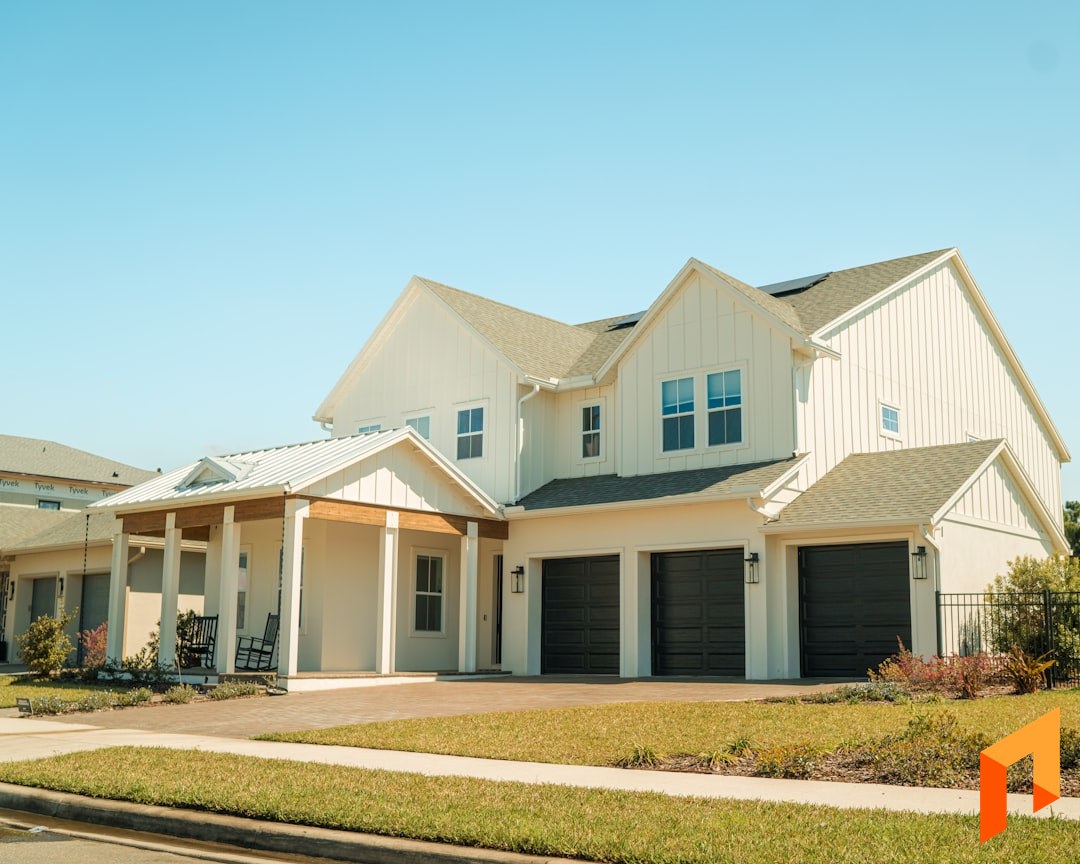
Building homes is a different discipline from remodeling or light commercial work. A single custom home can carry hundreds of selections, a draw schedule tied to lender milestones, and a client who wants to see every allowance decision before it hits the budget. Spec builders juggle multiple lots at once, each with its own pro forma. The software that runs a home-building business has to hold all of that without falling apart.
This is an honest roundup. We make one of the tools on this list (Foreman), and we'll tell you where it wins and where another platform is the better fit. The goal is to help you pick the right home builder software for how you actually build, not to sell you the most seats.
Note
TL;DR: The best home builder software in 2026 depends on your volume. For custom and small-to-mid production builders, Foreman is the top pick — budgeting with margin and markup, selections, one-click proposals with built-in e-sign, draw schedules, and two-way QuickBooks at a flat $199.99/mo (annual) plus $20/seat, with clients and subs free. AI plan takeoffs are on Enterprise. High-volume production builders with office staff may need Buildertrend's depth; large-scale production operations lean on Hyphen Solutions.
What Home Builders Actually Need From Software
Home builders need software that follows a house from pro forma to final draw without dropping data between steps. The core workflow is specific to residential building, and most general contractor tools only cover part of it.
Here's what to insist on before you evaluate a single vendor:
- Budgeting and estimating with margin and markup. A real budget the whole project plugs into, with both margin percentage and markup so you price deliberately instead of guessing.
- Selections and allowances. A structured way to track finish choices, allowance amounts, and overages — and roll the client's decisions straight into the budget.
- Client proposals with e-signature. Turn an estimate into a clean, signable proposal in one click. Built-in signing beats bolting on a separate e-sign tool.
- Draw schedules. Progress billing tied to construction milestones or lender draws, so you invoice the right amount at the right phase.
- Scheduling. A calendar your crew, subs, and clients can actually see, with dependencies between phases.
- Two-way QuickBooks sync. Invoices, bills, and payments flowing both directions so your books stay current without double entry.
The trap is buying enterprise breadth you'll never touch. What most builders actually need is the core loop — budget, propose, schedule, track, get paid — working smoothly on a phone from the lot. Now the options.
1. Foreman — Best for Custom and Small-to-Mid Production Builders
Best for: Custom home builders and small-to-mid production builders who want the full building workflow — budgeting, selections, proposals, draws, and QuickBooks — in one tool with flat, predictable pricing.
Foreman is built around a simple idea: your projects and contacts are the foundation, and everything else (budgets, selections, proposals, invoices, schedules) plugs in on top. It covers the residential building workflow end to end without the enterprise bloat or per-seat math that makes other platforms expensive as you grow.
Strengths:
- AI plan takeoffs. Upload a set of drawings and Foreman reads dimensions, room areas, and measurable elements to help populate your budget — grounding quantities in the actual plans instead of manual measuring.
- Budgeting with margin and markup. Section-based budgets show both margin percentage and markup on every line, so you price each phase the way you actually think about it rather than backing into a number.
- Selections and allowances. Track finish choices and allowance amounts, surface overages before they surprise the client, and roll approved decisions into the budget.
- One-click proposals with built-in e-sign. Build the estimate, generate a professional itemized proposal in one click, and have the client review and sign online — signing is built in, not a separate tool.
- Draw schedules. Bill by construction milestone or lender draw so progress invoicing matches where the house actually is.
- Flat, predictable pricing. Pro is $199.99/mo billed annually (or $249.99 month-to-month) plus $20 per operator seat, and includes the whole platform: budgets, proposals, invoicing, scheduling and on-screen plan measuring. Enterprise adds AI plan takeoffs for teams with dedicated estimators. Clients and subcontractors are free to invite, so collaboration never inflates your bill.
- Two-way QuickBooks sync. Invoices, bills, and payments flow both directions so your accounting stays current without double entry.
Trade-offs: Foreman is focused on custom and small-to-mid production building. If you're a national production builder running hundreds of starts a year with supplier EDI, rebate management, and warranty operations across regional divisions, a heavier production-specific platform will have more of those specialized modules out of the box. Foreman is deliberately not trying to be that — it's built for builders who want the whole core workflow in one fast, affordable place.
Note
Book a demo to start your 30-day free trial. Build a budget, generate a proposal, and send it to a client to sign online in under 30 minutes. Clients and subs are always free. Book a demo.
2. Buildertrend — Established Production Builder Platform
Best for: High-volume production home builders and established custom builders with a dedicated office admin.
Buildertrend is one of the best-known names in home building software. It offers a full suite — scheduling, selections, warranty tracking, client portals, and financials — designed for builders running many homes at once.
Strengths:
- Deep feature set for production builders, including client selections and warranty workflows.
- Established and widely adopted, with a large support and training operation.
- Client-facing portal that many homeowners are already familiar with.
Trade-offs: Pricing typically runs $499–$799/mo depending on plan, and onboarding fees push first-year costs meaningfully higher. Reviews consistently flag a steep learning curve and modules that require re-entry between steps. It's built for volume builders with staff to run it — a leaner custom builder will pay for capacity they don't use. Compare the two directly in our Foreman vs. Buildertrend breakdown.
3. CoConstruct — Legacy, Sunsetting into Buildertrend
Best for: Existing CoConstruct customers planning a migration.
CoConstruct was long a respected platform for custom home builders, known especially for its selections and client-communication workflow. It has since been absorbed into Buildertrend, and new development has effectively wound down as customers are migrated over.
Strengths:
- Historically strong selections and client-communication features for custom builders.
- Familiar to a generation of home builders who ran their businesses on it for years.
Trade-offs: As a sunsetting product folding into Buildertrend, CoConstruct isn't a forward-looking choice for a new evaluation. If you're on it today, you're effectively choosing between migrating to Buildertrend or evaluating alternatives — a good moment to reconsider what you actually need rather than defaulting into a bigger, pricier platform. See our CoConstruct comparison for where builders are landing.
4. JobTread — Solid Modern Peer
Best for: Builders and remodelers who want a modern, budget-first platform with strong cost tracking.
JobTread is a well-built, modern competitor with a loyal user base and a budget-centric approach that resonates with builders focused on job costing. It's a genuinely good product and a fair alternative to weigh alongside Foreman.
Strengths:
- Strong, budget-first cost tracking that builders who live in their numbers appreciate.
- Clean, modern interface with solid reviews and stable pricing over several years.
- Covers estimating, scheduling, and client communication in one place.
Trade-offs: JobTread starts around $199/mo and adds per-user fees as your team grows, so costs climb with headcount in a way Foreman's clients-and-subs-free model avoids. It also leans on manual workflows where Foreman uses AI — there's no AI plan takeoff to speed up quantities. For a builder weighing the two, the deciding factors are usually pricing structure and how much you value AI-assisted budgeting.
5. Contractor Foreman — Cheapest, Tiered, Feature-Dense
Best for: Budget-conscious builders who want the widest feature checklist for the lowest sticker price.
Contractor Foreman (no relation to Foreman) is one of the most affordable options and markets an enormous list of features across tiered plans. If your primary filter is price and breadth on paper, it stands out.
Strengths:
- Low entry pricing across tiered plans.
- A very long feature list spanning estimating, scheduling, invoicing, and more.
- Frequent promotions and annual-billing discounts.
Trade-offs: The common critique is that the interface feels dated and the app can be slow, and that features are broad but shallow — you get a checkbox for everything, but individual tools aren't as polished as newer platforms. The tiered plans also mean the features you want may sit a plan or two above the entry price. Worth a look if budget is the hard constraint, but expect to trade polish and speed for the low sticker.
6. Hyphen Solutions — Enterprise Production Building
Best for: Large and national production home builders managing supplier networks at scale.
Hyphen Solutions is built for the top of the production-building market. Its tools focus on supply-chain coordination, supplier EDI, purchasing, and warranty operations across high-volume builders and their trade partners.
Strengths:
- Deep supply-chain and supplier-management tooling built for production scale.
- Purchasing, scheduling, and warranty modules used across large builder-supplier networks.
- Established in the enterprise production segment.
Trade-offs: Hyphen is an enterprise system — implementation, integration, and cost are sized for large builders, not custom or small-to-mid operations. Pricing is quote-based and geared to volume. For most home builders it's far more platform (and expense) than the business needs, and the client-facing proposal and lightweight-workflow experience isn't the point. It's the right call only when you're running production volume that genuinely demands supplier-network coordination.
Quick Comparison
| Platform | Best for | Pricing model | Watch-out |
|---|---|---|---|
| Foreman | Custom & small-to-mid production builders | Flat $199.99/mo annual ($249.99 monthly) + $20/seat; clients & subs free | Not built for national production scale |
| Buildertrend | High-volume production builders | ~$499–$799/mo + onboarding | Steep learning curve, high first-year cost |
| CoConstruct | Existing customers migrating | Folding into Buildertrend | Sunsetting; not a new-eval choice |
| JobTread | Budget-first builders & remodelers | ~$199/mo + per-user | Per-user fees climb; no AI takeoff |
| Contractor Foreman | Lowest sticker price | Tiered, low entry price | Dated UI, can be laggy, shallow features |
| Hyphen Solutions | Enterprise production builders | Quote-based, volume | Enterprise complexity and cost |
How to Choose Home Builder Software
If you're a national or large production builder coordinating supplier networks, Hyphen Solutions is built for that scale. If you're an established high-volume production builder with office staff to run it, Buildertrend has the depth. If price is your only constraint, Contractor Foreman gets you the longest checklist for the least money — with the usual trade-offs in polish and speed.
For most custom and small-to-mid production builders, though, the right answer is the tool that covers the whole building workflow without punishing you for growing. That's where Foreman fits: AI takeoffs, budgeting with margin and markup, selections, one-click proposals with built-in e-sign, draw schedules, and two-way QuickBooks — with flat pricing, free clients and subs, and no per-user math that balloons as your business scales.
The best way to decide is to build a real budget in each and see which one you'd actually open on a Monday morning. If you're building your home-building business from the ground up, our guide on how to start a construction business covers the systems side of getting off spreadsheets.
Frequently Asked Questions
What is the best software for custom home builders?
For custom home builders, Foreman is the strongest all-in-one pick in 2026. It handles the custom-build workflow that matters most — budgeting with margin and markup, selections and allowances, one-click proposals with built-in e-signature, draw schedules, and two-way QuickBooks — at a flat $199.99/mo (annual) plus $20 per operator seat, with clients and subs free. AI plan takeoffs are on Enterprise, for teams with dedicated estimators. Buildertrend is a heavier alternative if you run high volume with dedicated office staff.
How much does home builder software cost?
Pricing varies widely by segment. Foreman is a flat $199.99/mo billed annually ($249.99 month-to-month) plus $20 per operator seat, with every feature included and clients and subs free. Buildertrend typically runs $499–$799/mo plus onboarding fees that push first-year costs higher. JobTread starts around $199/mo plus per-user fees. Contractor Foreman is cheaper with tiered plans, and enterprise platforms like Hyphen Solutions are quote-based.
Does home builder software include selections and allowances?
The better residential platforms do. Selections tracking lets you manage finish choices and allowance amounts, flag overages before they surprise the client, and roll approved decisions into the budget. Foreman, Buildertrend, and CoConstruct historically all handled selections. General-purpose contractor tools often lack a structured selections workflow, which forces builders back into spreadsheets for one of the most decision-heavy parts of a custom build.
What's happening to CoConstruct?
CoConstruct has been absorbed into Buildertrend, and active development has wound down as customers are migrated. It was well-regarded for custom-home selections, but it's no longer a forward-looking choice for a new evaluation. If you're a current CoConstruct customer, the migration is a natural moment to compare alternatives rather than default into Buildertrend's larger, pricier platform.
Can home builder software connect to QuickBooks?
Yes — QuickBooks integration is one of the most important features to check for. Two-way sync means invoices, bills, and payments flow between your building software and your books without double entry. Foreman offers two-way QuickBooks sync included in its flat plan. Verify the sync is genuinely bidirectional, since some tools only push one direction and still leave you re-entering data on the accounting side.
Is Foreman good for spec builders?
Yes. Spec builders benefit from Foreman's project-first structure — each lot is its own project with its own budget, and the flat pricing plus free clients and subs means running multiple spec homes at once doesn't multiply your software cost. Budgeting with margin and markup helps you protect the pro forma on each build, and draw schedules line up with construction lending. It scales from a single spec home to a small-to-mid production pipeline without a pricing jump.
Build your first budget free in Foreman — apply your margin and markup, track selections, and send a proposal clients sign online.
Book a demo

