

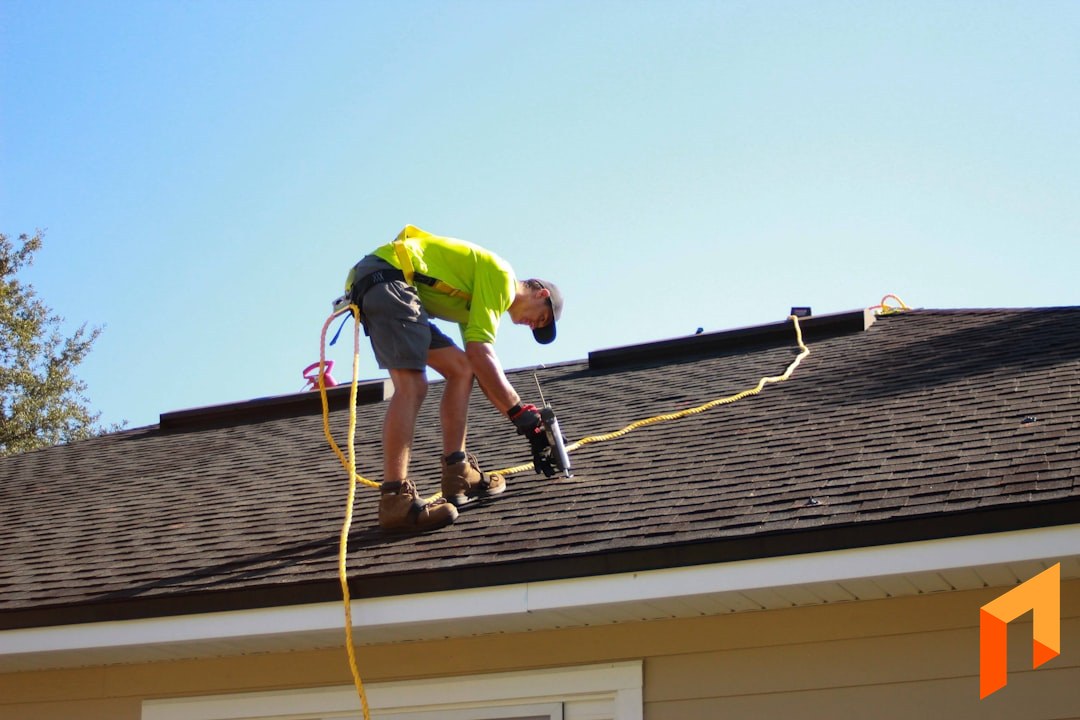
Roofing is its own business. A remodeler and a roofing company might both call themselves contractors, but the way a roofing operation actually runs — fast estimates off an aerial measurement, tight material orders, crews moving between multiple tear-offs in a week, and for a lot of shops, insurance work — is specific enough that generic construction software often misses the mark.
That's why "best roofing software" doesn't have one answer. The right tool depends on what kind of roofing work you do. A storm-and-insurance retail roofer needs claim and supplement workflows. A production roofer running install projects needs estimating, scheduling, and real job costing. A repair-focused shop needs fast dispatch and invoicing.
This guide walks through the tools roofing companies actually use, what each one is genuinely good at, and where each one falls short — so you can match the software to how your business runs, not the other way around.
What Roofing Companies Actually Need From Software
Before the picks, here's the checklist most roofing companies are trying to cover. Almost no single tool does all of these equally well, so knowing which ones matter most to you is the whole game.
- Estimating and measurement. Roofing estimates hinge on accurate area, pitch, and material counts. Aerial measurement reports (or your own takeoffs) feed the estimate. Speed matters — the roofer who gets a clean number to the homeowner first often wins the project.
- Proposals. A branded, easy-to-read proposal that a homeowner can approve fast, ideally generated straight from the estimate instead of retyped into a separate document.
- Scheduling and crews. Roofing crews move quickly. You need to see which crew is on which project, what's booked, and what's next — without a whiteboard.
- Material ordering and job costing. Shingles, underlayment, flashing, disposal. Knowing what a project actually cost versus what you estimated is how roofing companies protect margin.
- Insurance claims and supplements. For retail/storm roofers, this is a whole workflow of its own: Xactimate-style scopes, adjuster coordination, and supplement tracking. Not every roofer needs it, but the ones who do need it badly.
- Financials. Invoicing, payments, and clean two-way sync with QuickBooks so your books aren't a second full-time job.
Now the picks, organized by what each tool is best for.
Note
The short version: If your roofing business is heavily insurance/storm driven, look hard at AccuLynx or JobNimbus — claims and supplements are their home turf. If you run project-based install/production roofing and want estimating, proposals, scheduling, and real financials in one place at a flat, predictable price, look at Foreman. For fast repair/service work, Jobber fits. For measurements specifically, Roofr is worth a line item on its own.
AccuLynx — Best for Insurance & Retail Roofing
AccuLynx is one of the most established names built specifically for roofing, and its center of gravity is the insurance/retail roofing workflow. If your business runs on storm damage, adjuster meetings, and supplements, this is the category it was designed for.
Strengths. Deep, roofing-specific CRM and pipeline for retail sales teams. Strong claim and supplement handling, aerial measurement integrations, material ordering with supplier connections, and production tracking built around how a retail roofing company moves a homeowner from inspection to install. It's a mature product with a lot of roofing-specific reporting.
Trade-offs. It's a premium, sales-team-oriented platform, and pricing is quote-based — expect it to sit at the higher end, and it's generally sold around seats/users. For a smaller production roofer who isn't doing heavy insurance work, a lot of what you're paying for is the claims machinery you won't use. It can feel like more system than a straight install shop needs.
Best for: retail and storm roofers whose business is built on insurance claims and supplements.
JobNimbus — Best Roofing CRM + Project Management
JobNimbus is extremely popular in roofing and sits somewhere between a CRM and a project management tool. It's flexible, roofer-friendly, and widely adopted, which means a large ecosystem of integrations and a big community of roofing users.
Strengths. A configurable pipeline that roofing teams can shape to their sales and production process, solid mobile use in the field, document and photo handling, and integrations across measurement, financing, and material ordering. It handles both the retail/insurance side and general project tracking reasonably well, which is part of why so many roofers land on it.
Trade-offs. Pricing is quote-based and typically scales with users, so costs grow as your team grows. Because it's so configurable, it can take real setup effort to get it running the way you want, and some roofers find the estimating and financial depth lighter than a dedicated estimating or accounting workflow. It's a strong hub, but you'll often lean on integrations to fill specific gaps.
Best for: roofing companies that want a flexible, roofing-native CRM and project tracker and don't mind configuring it to their process.
Roofr — Best for Instant Aerial Measurements & Estimates
Roofr earns its place by doing one roofing-specific thing really well: measurement. It generates aerial measurement reports and turns them into estimates and proposals quickly, which is exactly the front-of-the-funnel speed roofing sales depend on.
Strengths. Fast, affordable roof measurement reports, an estimating layer that builds off those measurements, and clean, homeowner-facing proposals. For a roofer who mostly wants to get an accurate number and a professional proposal in front of a homeowner fast, it's purpose-built and easy to adopt.
Trade-offs. It's focused on the measurement-to-proposal slice of the business. It's not trying to be your full production, scheduling, and job-costing backbone, and it's lighter on the deep insurance/supplement and financial-accounting side. Many roofers use it alongside another system rather than as their single source of truth.
Best for: roofers who want fast, accurate measurements and quick proposals, often paired with a broader tool.
Buildertrend & JobTread — General Construction PM Some Roofers Use
Buildertrend and JobTread are general construction project management platforms rather than roofing-specific tools, but some roofers — especially those doing larger or more custom install work — use them.
Buildertrend is a mature, full-featured platform aimed at homebuilders and remodelers: scheduling, client communication, selections, budgets, and document management. It's powerful but priced and structured for larger residential builders, and it isn't shaped around roofing's measurement-and-supplement realities.
JobTread is a newer, well-regarded construction management platform with strong estimating and cost tracking and flat, published-style pricing that appeals to contractors tired of per-seat surprises. It's genuinely good software, but again it's built for general construction workflows rather than roofing-specific ones like aerial measurement or insurance supplements.
Trade-offs for roofers. Neither speaks "roofing" natively. You won't find storm/claim workflows or built-in aerial measurement. If you're a roofing company doing broad remodel-style projects they can work, but most pure roofers will feel the mismatch.
Best for: roofing companies running larger, general-construction-style projects who want a broad PM platform. (See our deeper comparisons on Buildertrend and JobTread.)
Jobber — Best for Repairs & Small Service Work
Jobber is service-business software: quoting, scheduling, dispatching, and invoicing for trades that do fast, short-cycle work. For a roofing company whose bread and butter is repairs, maintenance, and small quick-turn projects, it's a clean, well-built fit.
Strengths. Fast quote-to-invoice cycle, good scheduling and dispatch, a solid mobile app, and easy online payments. If you're running a high volume of small roofing repairs, Jobber keeps the day moving.
Trade-offs. It's optimized for service dispatch, not project-based roofing. No roofing-specific measurement, no insurance/supplement workflow, and its estimating is intentionally lightweight. A roofer doing full tear-offs and install projects with material orders and multi-day crew scheduling will outgrow it quickly. (More detail in our Jobber alternatives guide.)
Best for: repair-focused and small-service roofing shops.
Foreman — Best All-in-One for Project-Based Roofing
If your roofing business runs on projects — tear-offs, re-roofs, and new installs where you estimate a scope, order materials, schedule crews, and bill against the work — Foreman is built to run the whole thing in one place at a predictable price.
Foreman's honest lane is production and install roofing, not insurance-claim processing. If your business is 80% storm/supplement work, a claims-specific tool will handle that piece better. But if you're managing roofing projects end to end and you're tired of stitching together a measurement tool, a spreadsheet, a proposal app, and QuickBooks, this is where an all-in-one earns its keep.
AI Plan Takeoffs
Upload a roof plan or drawing and Foreman's AI reads it — identifying dimensions and measurable areas to help populate your estimate with real quantities instead of guesses. For roofers doing their own takeoffs, it cuts the slowest part of quoting down to minutes. See how it works on our takeoffs feature page.
Estimating and Budgets
Foreman's estimating is section-based, so you scope a roofing project the way you actually think about it: tear-off and disposal, decking and repairs, underlayment, shingles or panels, flashing and accessories, cleanup. Each section carries its own line items, quantities, unit costs, and markup — and it doubles as your project budget, so you can track estimated versus actual cost as the project runs. That's how you protect margin on a re-roof.
One-Click Proposals
Build the estimate, then generate a clean, branded proposal from it with one click. No re-keying numbers into a separate document. The homeowner gets a professional, easy-to-read proposal they can approve online, and when they do, the numbers are already in your system.
Scheduling and Crews
Foreman includes scheduling so you can see which crew is on which project and what's booked next — the everyday coordination problem for a roofing company juggling multiple tear-offs in a week.
Financials and Two-Way QuickBooks
Invoice against the project, collect payments online, and sync it all to QuickBooks with a genuine two-way connection so your books aren't a second job. This is the piece the measurement-only and CRM-only tools tend to leave you to solve yourself.
Flat, Predictable Pricing
Here's where Foreman is deliberately different from most of this list: pricing is flat and clients and subs are free. $199.99/month billed annually, plus $20 per seat — estimating, proposals, scheduling, job costing, plan measuring, and QuickBooks sync, all in the base price. Clients and subcontractors never cost a seat, and your price never scales with your revenue. For a roofing company that wants one system and a bill it can predict, that's the appeal.
Best for: roofing companies doing project-based install and production work that want full estimating, project management, and financials in one tool.
Run your roofing projects — estimate to invoice — in one place.
Book a demoHow to Choose the Right Roofing Software
There's no universal "best." There's the best fit for how your roofing business actually makes money. Use this as a quick decision guide:
- Heavy insurance/storm work? Prioritize claims and supplements — AccuLynx or JobNimbus.
- Want a flexible roofing CRM and pipeline? JobNimbus.
- Mostly need fast, accurate measurements and quick proposals? Roofr, often alongside another tool.
- Running project-based install/production roofing and want estimating, scheduling, job costing, and QuickBooks in one flat-priced system? Foreman.
- High volume of small repairs and service calls? Jobber.
- Doing large, general-construction-style projects? Buildertrend or JobTread.
The most common mistake is buying the tool with the best sales demo instead of the one that matches your workflow. A storm roofer who buys install-focused software will fight it every day, and a production roofer paying for a full claims engine is burning money on features they'll never open. Be honest about your mix of work, pick for the 80% you do most, and make sure the tool covers estimating, proposals, scheduling, and financials without forcing you back into spreadsheets.
If you're just getting your roofing business off the ground, our guide on how to start a roofing business covers the setup that pairs with whichever software you choose.
Whatever you pick, the goal is the same: fewer tools, less re-keying, and clean numbers on every roof. For project-based roofers, that's exactly the problem Foreman was built to solve — book a demo to see it on your projects.


