

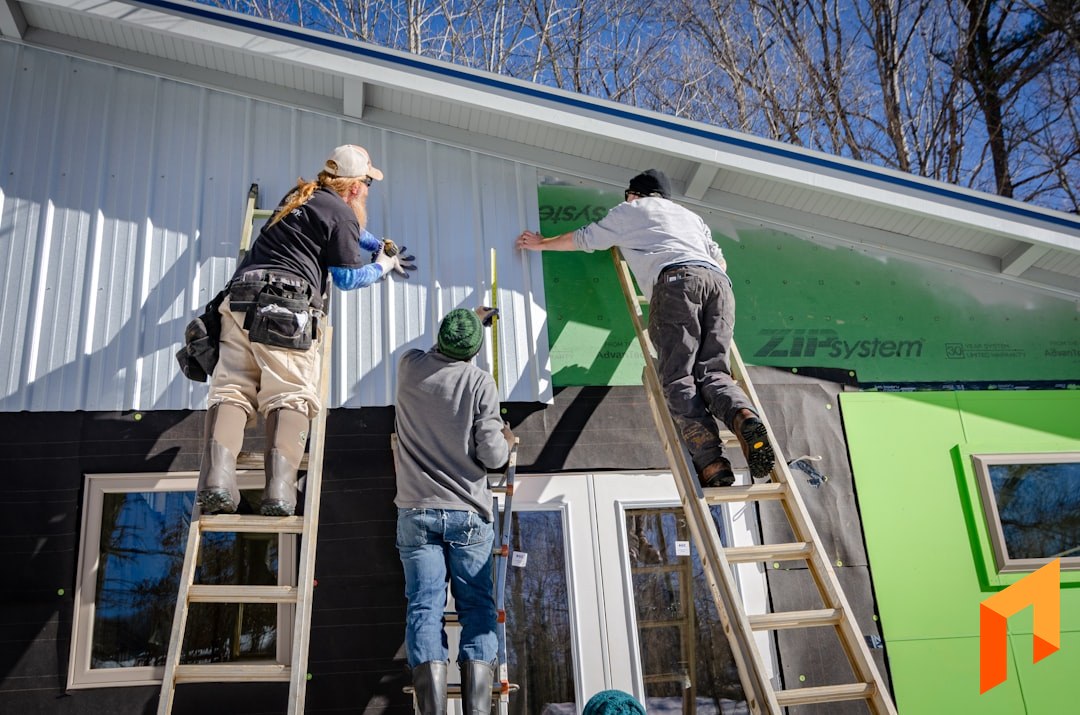
Siding is a square-footage business. Whether you're wrapping a house in fiber cement, vinyl, LP SmartSide, or cedar, the whole project starts with an accurate exterior takeoff: wall area, minus openings, plus soffit, fascia, trim, and corners. Get the measurement right and the estimate follows. Get it wrong and you eat the difference on every course.
That's why "best siding software" doesn't have one clean answer. A production siding company running full exterior remodels needs takeoff, estimating, crew scheduling, and real job costing. A siding shop doing storm and insurance work needs claim and supplement workflows that look more like roofing. A repair-and-replace outfit needs fast quotes and invoicing. The right tool depends on how your business actually makes money.
This guide walks through the software siding and exterior contractors actually use, what each one is genuinely good at, and where each one falls short, so you can match the tool to your workflow instead of forcing your workflow into the tool.
What Siding Contractors Actually Need From Software
Before the picks, here's the checklist most siding companies are trying to cover. Almost no single tool nails all of these equally, so knowing which ones matter most to you is the whole game.
- Exterior takeoff and estimating. Siding estimates hinge on accurate square footage: wall area net of windows and doors, plus soffit, fascia, trim, corner posts, and wrap. Speed matters, because the contractor who hands the homeowner a clean number first often wins the project.
- Proposals and e-sign. A branded, easy-to-read proposal a homeowner can approve online, ideally generated straight from the estimate instead of retyped into a separate document.
- Scheduling and crews. Siding crews move between projects across a week. You need to see which crew is on which project and what's next without a whiteboard.
- Material ordering and job costing. Panels, trim, fasteners, house wrap, disposal. Knowing what a project actually cost versus what you estimated is how siding companies protect margin.
- Insurance claims and supplements. For storm-driven exterior work, this is its own workflow: Xactimate-style scopes, adjuster coordination, and supplement tracking. Not every siding shop needs it, but the ones that do need it badly.
- Financials. Invoicing, online payments, and clean two-way QuickBooks sync so your books aren't a second full-time job.
Now the picks, organized by what each tool is best for.
Note
TL;DR: For siding companies running project-based exterior work who want exterior takeoff, estimating, proposals with e-sign, scheduling, job costing, and two-way QuickBooks in one place at a flat, predictable price, look at Foreman ($199.99/month billed annually plus $20 per seat, clients and subs free). If your siding business is heavily insurance/storm driven, a roofing/exterior-claims tool like AccuLynx or JobNimbus may fit that piece better. Buildertrend and JobTread are general construction PM platforms some siding contractors use.
The Best Siding Contractor Software, Compared
| Tool | Best for | Exterior takeoff | Estimating + proposals | Scheduling + job costing | Insurance/supplements | QuickBooks |
|---|---|---|---|---|---|---|
| Foreman | All-in-one project-based siding | AI plan takeoffs | Yes, plus e-sign | Yes, both | Not the focus | Two-way |
| AccuLynx | Insurance/retail exterior work | Via integrations | Yes | Production tracking | Strong | Yes |
| JobNimbus | Exterior CRM + project tracking | Via integrations | Lighter | Configurable | Strong | Yes |
| Buildertrend | Large general remodel projects | No | Yes | Yes | No | Yes |
| JobTread | General construction PM | No | Yes | Yes | No | Yes |
Pricing note: AccuLynx and JobNimbus are quote-based and generally scale with users. Buildertrend runs several hundred dollars a month and up. JobTread publishes flat pricing with per-user add-ons. Foreman is a flat $199.99/month billed annually plus $20 per seat, with every feature included. Always confirm current pricing directly, since plans change.
Foreman: Best All-in-One for Project-Based Siding
If your siding business runs on projects (full re-sides, exterior remodels, and new construction where you take off a scope, order material, schedule crews, and bill against the work) Foreman is built to run the whole thing in one place at a predictable price.
Foreman's honest lane is production and exterior remodel work, not insurance-claim processing. If your business is 80% storm and supplement work, a claims-specific tool will handle that piece better. But if you're managing siding projects end to end and you're tired of stitching together a takeoff tool, a spreadsheet, a proposal app, and QuickBooks, this is where an all-in-one earns its keep.
AI Plan Takeoffs
Upload an elevation drawing or plan set and Foreman's AI reads it, identifying dimensions and measurable areas so you can populate the estimate with real quantities instead of guesses. For siding contractors doing their own takeoffs, it cuts the slowest part of quoting (measuring wall area and openings) down to minutes.
Estimating and Budgets
Foreman's estimating is section-based, so you scope a siding project the way you actually think about it: tear-off and disposal, house wrap and flashing, siding panels, trim and corners, soffit and fascia, cleanup. Each section carries its own line items, quantities, unit costs, and margin. It doubles as your project budget, so you can track estimated versus actual cost as the project runs. That's how you protect margin on a re-side where waste factor and trim add up fast. See how the budget and estimating feature works.
Proposals With E-Sign
Build the estimate, then generate a clean, branded proposal from it with one click. No re-keying numbers into a separate document. The homeowner gets a professional, easy-to-read proposal they can approve and sign online, and when they do, the numbers are already in your system.
Scheduling and Crews
Foreman includes scheduling so you can see which crew is on which project and what's booked next: the everyday coordination problem for a siding company juggling multiple exteriors in a week.
Financials and Two-Way QuickBooks
Invoice against the project, collect payments online, and sync it all to QuickBooks with a genuine two-way connection so your books aren't a second job. This is the piece the takeoff-only and CRM-only tools tend to leave you to solve yourself.
Flat, Predictable Pricing
Here's where Foreman is deliberately different from most of this list. Pricing is flat and clients and subs are free: $199.99/month billed annually, plus $20 per seat. Exterior measuring, estimating, proposals with e-sign, scheduling, job costing, and QuickBooks sync are all in the base price. Clients and subcontractors never cost a seat, and your price never scales with your revenue. For a siding company that wants one system and a bill it can predict, that's the appeal.
Best for: siding and exterior contractors doing project-based re-side and remodel work who want full estimating, project management, and financials in one tool.
Run your siding projects, takeoff to invoice, in one place.
Book a demoAccuLynx: Best for Insurance and Storm Exterior Work
AccuLynx is one of the most established names built for exterior contractors, and its center of gravity is the insurance and retail workflow. Siding shops that do storm damage alongside roofing (a very common crossover) often land here because the claims machinery is genuinely strong.
Strengths. Deep, exterior-specific CRM and pipeline for retail sales teams. Strong claim and supplement handling, measurement integrations, material ordering with supplier connections, and production tracking built around moving a homeowner from inspection to install. It's a mature product with a lot of exterior-specific reporting.
Trade-offs. It's a premium, sales-team-oriented platform, and pricing is quote-based, so expect it to sit at the higher end and to be sold around seats. For a production siding contractor who isn't doing heavy insurance work, a lot of what you're paying for is the claims engine you won't use. It can feel like more system than a straight install shop needs, and its native siding takeoff leans on integrations.
Best for: siding and exterior contractors whose business is built on insurance claims and supplements.
JobNimbus: Best Exterior CRM Plus Project Tracking
JobNimbus is extremely popular across roofing and exterior trades and sits somewhere between a CRM and a project management tool. It's flexible, contractor-friendly, and widely adopted, which means a large ecosystem of integrations and a big community of exterior users.
Strengths. A configurable pipeline that siding teams can shape to their sales and production process, solid mobile use in the field, document and photo handling, and integrations across measurement, financing, and material ordering. It handles both the storm/insurance side and general project tracking reasonably well, which is part of why so many exterior contractors land on it.
Trade-offs. Pricing is quote-based and typically scales with users, so costs grow as your team grows. Because it's so configurable, it can take real setup effort to get running the way you want, and some contractors find the estimating and financial depth lighter than a dedicated estimating or accounting workflow. It's a strong hub, but you'll often lean on integrations to fill specific gaps.
Best for: siding companies that want a flexible, exterior-native CRM and project tracker and don't mind configuring it to their process.
Buildertrend and JobTread: General Construction PM Some Siding Contractors Use
Buildertrend and JobTread are general construction project management platforms rather than siding-specific tools, but siding contractors doing larger or more custom exterior remodel work sometimes use them.
Buildertrend is a mature, full-featured platform aimed at homebuilders and remodelers: scheduling, client communication, selections, budgets, and document management. It's powerful but priced and structured for larger residential builders, and it isn't shaped around siding's square-footage takeoff or storm/supplement realities. See our deeper Buildertrend comparison.
JobTread is a newer, well-regarded construction management platform with strong estimating and cost tracking and flat, published-style pricing that appeals to contractors tired of per-seat surprises. It's genuinely good software, but again it's built for general construction workflows rather than siding-specific ones. See our deeper JobTread comparison.
Trade-offs for siding contractors. Neither speaks "siding" natively. You won't find storm/claim workflows or purpose-built exterior takeoff. If you're a siding company doing broad remodel-style projects they can work, but most pure siding shops will feel the mismatch on the takeoff and estimating side.
Best for: siding companies running larger, general-construction-style exterior projects who want a broad PM platform.
How to Choose the Right Siding Software
There's no universal best. There's the best fit for how your siding business actually makes money. Use this as a quick decision guide:
- Running project-based re-side and exterior remodel work and want takeoff, estimating, proposals, scheduling, job costing, and QuickBooks in one flat-priced system? Foreman.
- Heavy insurance and storm work? Prioritize claims and supplements: AccuLynx or JobNimbus.
- Want a flexible exterior CRM and sales pipeline? JobNimbus.
- Doing large, general-construction-style exterior projects? Buildertrend or JobTread.
The most common mistake is buying the tool with the best sales demo instead of the one that matches your workflow. A storm-driven siding shop that buys install-focused software will fight the missing claim tools every day, and a production siding contractor paying for a full claims engine is burning money on features they'll never open. Be honest about your mix of work, pick for the 80% you do most, and make sure the tool covers exterior takeoff, estimating, proposals, scheduling, and financials without forcing you back into spreadsheets.
A useful reality check: many siding companies also do roofing, so it's worth reading our best roofing software roundup alongside this one if your business straddles both trades.
Note
Book a demo to start your 30-day free trial. Take off an exterior, build a siding estimate, generate a proposal a homeowner can sign online, and see the whole project flow into QuickBooks. Book a demo.
Frequently Asked Questions
What is the best software for siding contractors?
The best siding software depends on your mix of work. For project-based re-side and exterior remodel companies that want exterior takeoff, estimating, proposals with e-sign, scheduling, job costing, and two-way QuickBooks in one flat-priced system, Foreman is the strongest all-in-one. For siding shops driven by insurance and storm work, a roofing/exterior-claims platform like AccuLynx or JobNimbus fits the claims piece better. Match the tool to the 80% of work you do most.
Does siding software handle exterior takeoff and square footage?
Some does, some doesn't. Foreman includes AI plan takeoffs that read an elevation or plan set and identify measurable areas so you can populate wall square footage, openings, and trim quantities faster. AccuLynx and JobNimbus typically rely on measurement integrations rather than native siding takeoff. General PM tools like Buildertrend and JobTread don't include exterior takeoff, so you measure separately and enter quantities by hand.
How much does siding contractor software cost?
Pricing varies widely. Foreman is a flat $199.99 per month billed annually plus $20 per seat, with every feature included. AccuLynx and JobNimbus are quote-based and generally scale with users, so ask for a current number. Buildertrend runs several hundred dollars a month and up. JobTread publishes flat pricing with per-user add-ons. Always confirm pricing directly with each vendor, since plans change.
Do I need roofing software if I do siding and storm work?
If a large share of your work is insurance and storm claims, a roofing/exterior-claims tool like AccuLynx or JobNimbus handles supplements and adjuster coordination better than a general project tool. Many exterior contractors do both trades. If most of your work is project-based re-siding and exterior remodels, an all-in-one like Foreman covers takeoff, estimating, scheduling, and financials in one place, and you'd only reach for a claims tool for the insurance slice.
Can siding software sync with QuickBooks?
Yes, several options sync with QuickBooks, but the depth varies. Foreman offers a genuine two-way QuickBooks connection so invoices, payments, and financials stay aligned without double entry. AccuLynx, JobNimbus, Buildertrend, and JobTread also integrate with QuickBooks in various forms. If clean books matter to you, confirm whether the sync is one-way or two-way and which records it covers before committing.
What features should siding estimating software include?
Good siding estimating software should start from exterior takeoff (wall area net of openings, plus soffit, fascia, trim, and corners), let you build section-based estimates with quantities, unit costs, and margin, and generate a homeowner-ready proposal from that estimate without re-keying numbers. It should also double as a job budget so you can track estimated versus actual cost, since waste factor and trim quickly erode margin on a re-side if you can't see the numbers.
Whatever you pick, the goal is the same: fewer tools, less re-keying, and clean numbers on every exterior. For project-based siding contractors, that's exactly the problem Foreman was built to solve, — book a demo to see it on your projects.


