

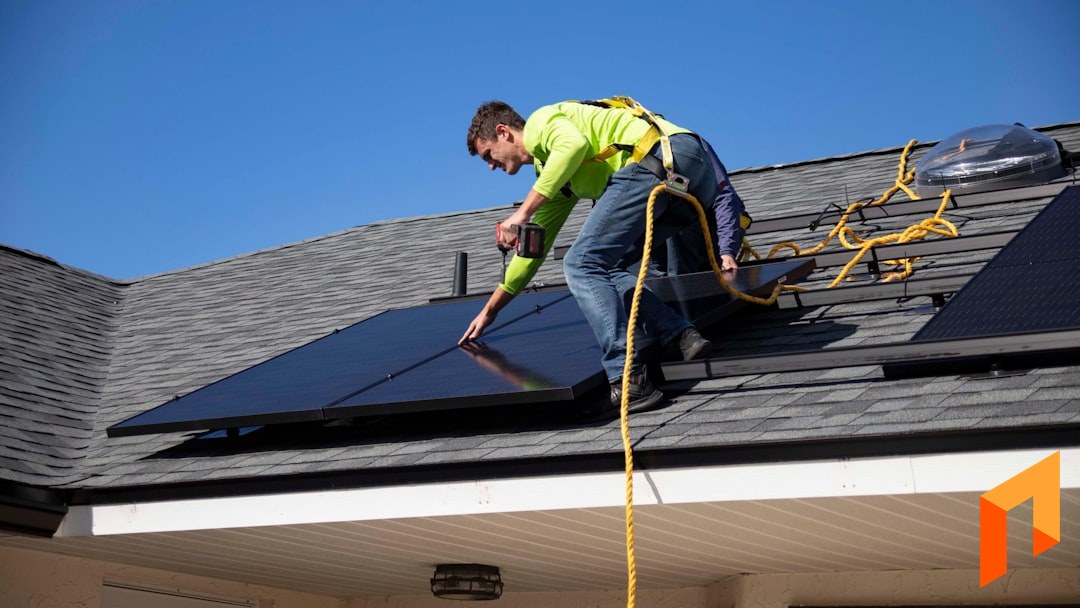
Solar is really two businesses stitched together. There's the design-and-sell side — modeling a PV system on a roof, running shading and production analysis, and putting a persuasive proposal in front of a homeowner. And there's the install-and-deliver side — estimating the full scope, scheduling crews, ordering and tracking materials beyond the panels, invoicing against the work, and keeping the books clean.
Most "best solar software" lists blur those two together, and that's exactly why solar contractors end up disappointed. The tools that dominate solar design are outstanding at design. They are not built to run your install operation or your financials — and the tools that run your projects well don't pretend to model a PV array.
This guide is honest about that split. We'll cover the solar design and proposal platforms that genuinely lead their category, then the tools that handle the install and project-management side — including where Foreman fits and, just as importantly, where it doesn't.
Solar Software Comes in Two Layers
Before the picks, understand which layer you're shopping for. Almost no tool does both layers well, and the biggest buying mistake in solar is expecting one to cover the other.
- PV design and sales proposals. Roof modeling, shading and irradiance analysis, string and inverter layout, production estimates, and a homeowner-facing sales proposal with financing options. This is a specialized, physics-heavy category.
- Install estimating and project management. The full project scope beyond the panels — labor, racking, electrical, permitting, trenching, batteries — plus crew scheduling, job costing, change orders, and material tracking.
- Financials. Invoicing, progress billing, collecting payments, and two-way QuickBooks sync so your accounting isn't a second full-time job.
The design platforms below own layer one. Foreman lives in layers two and three. Match the tool to the layer you're actually trying to fix.
Note
The short version: For PV design, shading analysis, and sales proposals, use a purpose-built solar design platform — Aurora Solar, OpenSolar, or Solargraf. Foreman does not do PV design, and we won't pretend otherwise. Where Foreman fits is the install side: estimating the full project, scheduling crews, job costing, invoicing, and two-way QuickBooks. Many solar contractors run a design tool for the sale and a project tool for the build.
Aurora Solar — Best for PV Design & Production Analysis
Aurora Solar is the heavyweight of solar design. It's built around highly accurate remote system design: LIDAR-based roof modeling, detailed shading and irradiance analysis, and production estimates that hold up because the modeling underneath them is serious.
Strengths. Industry-leading design accuracy, remote shading analysis without a site visit, NEC-aware string sizing, and polished sales proposals with financing integrations. For solar companies where design precision and production guarantees matter, Aurora is the reference standard.
Trade-offs. It's a premium, design-and-sales platform with pricing generally quote-based and oriented toward users/seats — expect it at the higher end. It's not a construction project-management or accounting system; once the design is sold, the install scheduling, job costing, and financials are still yours to run elsewhere.
Best for: solar companies that want the most rigorous PV design and production modeling available.
OpenSolar — Best Free Solar Design & Proposal Platform
OpenSolar earns its spot for a simple reason: it offers genuinely capable solar design and proposals at no software cost, monetizing through its hardware and financing marketplace instead of a subscription. For a lot of installers, that changes the math entirely.
Strengths. Full design workflow — 3D modeling, shading, panel layout, production estimates — plus a strong homeowner-facing proposal experience, all free to use. It has broad adoption globally and a healthy integration ecosystem, which makes it an easy starting point for solar sales.
Trade-offs. Like every tool in this section, it's a design-and-sell platform, not an install-management or accounting system. It won't schedule your crews, track job cost versus estimate on the full project, or reconcile to QuickBooks. And "free" comes with the marketplace model — fine for many, worth understanding before you standardize on it.
Best for: solar installers who want serious design and proposals without a software subscription.
Solargraf — Best for Fast Solar Sales & Proposals
Solargraf (part of the Enphase ecosystem) focuses on speed from design to signed proposal. It's aimed at solar sales teams that want to get a clean, professional proposal in front of a homeowner quickly, with the design and financing baked in.
Strengths. Quick remote design, shading analysis, permit-package support, and a streamlined proposal and e-sign flow tuned for closing residential solar. Its sales orientation makes it a favorite for teams that live in the front of the funnel.
Trade-offs. Again, it's a design-and-sales tool. Pricing is typically subscription/quote-based and seat-oriented, and once the deal is closed, the install project — crews, materials, job costing, billing — happens outside it.
Best for: solar sales teams that want fast, professional proposals and quick design turnaround.
Scoop — Best for Solar Field Operations
Scoop sits closer to the install side than the design platforms, focused on field operations and project tracking for solar teams: coordinating site surveys, installs, and service visits, with mobile-first tools for crews in the field.
Strengths. Solar-aware field workflows, scheduling and dispatch for install and service crews, mobile data capture, and project status visibility across a pipeline of installs. For companies whose pain is field coordination rather than design, it's built for that world.
Trade-offs. It's an operations and field tool, not a full estimating-and-financials system. Detailed line-item project estimating, budgets that double as job-cost tracking, and deep two-way accounting sync generally aren't its center of gravity — you'll often pair it with other tools for the money side.
Best for: solar companies whose main challenge is field scheduling and install coordination.
Foreman — Best for Solar Install Project Management & Financials
Here's the honest positioning: Foreman does not do PV design. It won't model your array, run shading analysis, or estimate production. If that's what you need, use Aurora, OpenSolar, or Solargraf — they're excellent at it and Foreman isn't trying to compete there.
Where Foreman fits is everything after the panels are designed and the job is sold — the install project and its financials. If your solar business runs on projects where you estimate a full scope, schedule crews, order and track materials, bill against the work, and keep clean books, that's the exact problem Foreman is built to solve. Think of the design tool as how you win the sale, and Foreman as how you run the build and get paid.
AI Plan Takeoffs
Upload a site plan, electrical drawing, or roof layout and Foreman's AI reads it — identifying dimensions and measurable areas to help populate your estimate with real quantities instead of guesses. For the parts of a solar project beyond the panel count — racking runs, conduit, trenching, roof area — it takes the slowest part of estimating down to minutes.
Estimating and Budgets
Foreman's estimating is section-based, so you scope a solar install the way you actually think about it: modules and inverters, racking and mounting, electrical and conduit, batteries and backup, permitting and inspection, labor. Each section carries its own line items, quantities, unit costs, and margin or markup — and the estimate doubles as your project budget, so you can track estimated versus actual cost as the install runs. That's how you protect margin on a job where the panels are only part of the number. See the budget and estimating feature for how it works.
Proposals and E-Signature
Once you've scoped the full install, generate a clean, branded proposal straight from the estimate — no re-keying numbers into a separate document — and send it for online e-signature. This isn't a replacement for your solar sales proposal; it's the contract-and-scope document for the install work, approved and signed in one place.
Scheduling and Crews
Foreman includes scheduling so you can see which crew is on which project and what's booked next — the everyday coordination problem for a solar company running multiple installs, inspections, and service calls in the same week. More on the scheduling feature.
Financials and Two-Way QuickBooks
Invoice against the project, handle progress billing, collect payments online, and sync it all to QuickBooks with a genuine two-way connection so your books aren't a second job. This is the layer the design and CRM tools leave you to solve on your own.
Flat, Predictable Pricing
Foreman is deliberately different from the seat-heavy, quote-based pricing common in solar software. It's flat, and clients and subs are free: $199.99/month billed annually, plus $20 per seat — estimating, proposals with e-sign, scheduling, job costing, plan measuring, and QuickBooks sync, all in the base price. Clients and subcontractors never cost a seat, and your price never scales with your revenue.
Best for: solar contractors who want to run the install side — estimating, scheduling, job costing, and financials — in one flat-priced system, alongside their solar design tool.
Run your solar installs — estimate to invoice — in one place.
Book a demoSolar Software Comparison Table
| Tool | Best for | PV design & shading | Install PM & job costing | Proposals | QuickBooks | Pricing |
|---|---|---|---|---|---|---|
| Aurora Solar | Rigorous PV design | Yes (leading) | No | Sales proposals | Limited | Quote-based, seat-oriented |
| OpenSolar | Free design & proposals | Yes | No | Sales proposals | Limited | Free (marketplace model) |
| Solargraf | Fast solar sales | Yes | No | Sales proposals | Limited | Subscription/quote-based |
| Scoop | Field operations | No | Partial (field ops) | No | Limited | Quote-based |
| Foreman | Install PM & financials | No | Yes | Install proposals + e-sign | Two-way | $199.99/mo annual + $20/seat |
The pattern is clear: the design tools own the top of the funnel, and Foreman owns the build-and-bill side. They're complementary, not competitors.
What About General Construction Platforms?
Some solar contractors — especially those doing larger commercial or ground-mount work — consider broad construction management platforms instead of a solar-specific stack. Two names come up most:
Buildertrend is a mature, full-featured platform aimed at homebuilders and remodelers: scheduling, client communication, selections, budgets, and document management. It's powerful, but it's priced and structured for larger residential builders and isn't shaped around solar workflows. See our deeper Buildertrend comparison.
JobTread is a well-regarded construction management platform with strong estimating and cost tracking and flat pricing that appeals to contractors tired of per-seat surprises. It's genuinely good software, but it's built for general construction rather than solar-specific work. See our JobTread comparison.
Neither does PV design, and neither is solar-native — so like Foreman, they'd sit on the install/PM side of your stack, not the design side. The difference is Foreman's flat pricing and included AI takeoffs, e-sign, and two-way QuickBooks in the base plan.
How to Choose the Right Solar Software
There's no single "best solar software," because the two layers solve different problems. Use this as a quick decision guide:
- Need the most accurate PV design and production modeling? Aurora Solar.
- Want capable solar design and proposals with no subscription? OpenSolar.
- Focused on fast sales and quick, professional proposals? Solargraf.
- Main pain is field scheduling and install coordination? Scoop.
- Need to run the install project — full estimating, scheduling, job costing, invoicing, and QuickBooks? Foreman.
The most common mistake is expecting one tool to cover both layers. A design platform won't run your install operation, and a project tool won't model your array. The realistic stack for most solar contractors is two tools: a design-and-sell platform for the sale, and a project-and-financials platform for the build. Pick the best in each layer, make sure they cover what they claim, and stop forcing one to do the other's job.
Frequently Asked Questions
What is the best solar software in 2026?
There's no single best, because solar software splits into two layers. For PV design, shading analysis, and sales proposals, Aurora Solar leads on accuracy, OpenSolar leads on free access, and Solargraf leads on sales speed. For running the install project — estimating the full scope, scheduling crews, job costing, and financials — a construction project-management tool like Foreman is the better fit, because the design platforms aren't built for that side.
Does Foreman do solar PV design or shading analysis?
No. Foreman does not model PV systems, run shading or irradiance analysis, or estimate production. For that, use a purpose-built solar design platform like Aurora Solar, OpenSolar, or Solargraf. Foreman handles the install side — full-scope estimating, proposals with e-sign, scheduling, job costing, invoicing, and two-way QuickBooks.
Can I use one software for both solar design and project management?
Usually not well. Design platforms are built to model and sell a system; they generally don't schedule crews, track job cost versus estimate on the full project, or reconcile to your accounting. Most solar contractors run a design tool for the sale and a project-management tool like Foreman for the build and the billing, matching each tool to the layer it's good at.
Does solar software integrate with QuickBooks?
Depth varies a lot. Many solar design tools offer limited or one-way accounting connections at best, since financials aren't their focus. Foreman offers genuine two-way QuickBooks sync, so estimates, invoices, and payments stay aligned in both systems without double entry. Always confirm whether an integration is one-way or two-way before you buy.
How much does solar software cost?
It ranges widely. OpenSolar is free (monetized through its marketplace), while premium design platforms like Aurora are quote-based and generally seat-oriented at the higher end. On the install side, Foreman is $199.99 per month billed annually plus $20 per seat, with estimating, proposals, e-signature, scheduling, and QuickBooks sync all included. AI plan takeoffs are on Enterprise, for teams with dedicated estimators. Watch for per-user pricing and add-on fees, since that's where solar software costs tend to hide as your team grows.
What software do solar contractors use for install estimating?
For the install estimate — everything beyond the panel count, like racking, electrical, trenching, batteries, permitting, and labor — solar contractors need line-item takeoffs, margin or markup control, and a proposal they can send for signature. Foreman covers all three, and its AI takeoffs read site and electrical plans to speed up quantifying the physical scope. Design platforms estimate the system and the sale, but they aren't built for the detailed install budget that protects your margin on the build.
Match the tool to the layer, and your software stops being overhead and starts protecting margin. If the install side is where your solar business makes or loses money, Book a demo and build your first solar install estimate today.


