

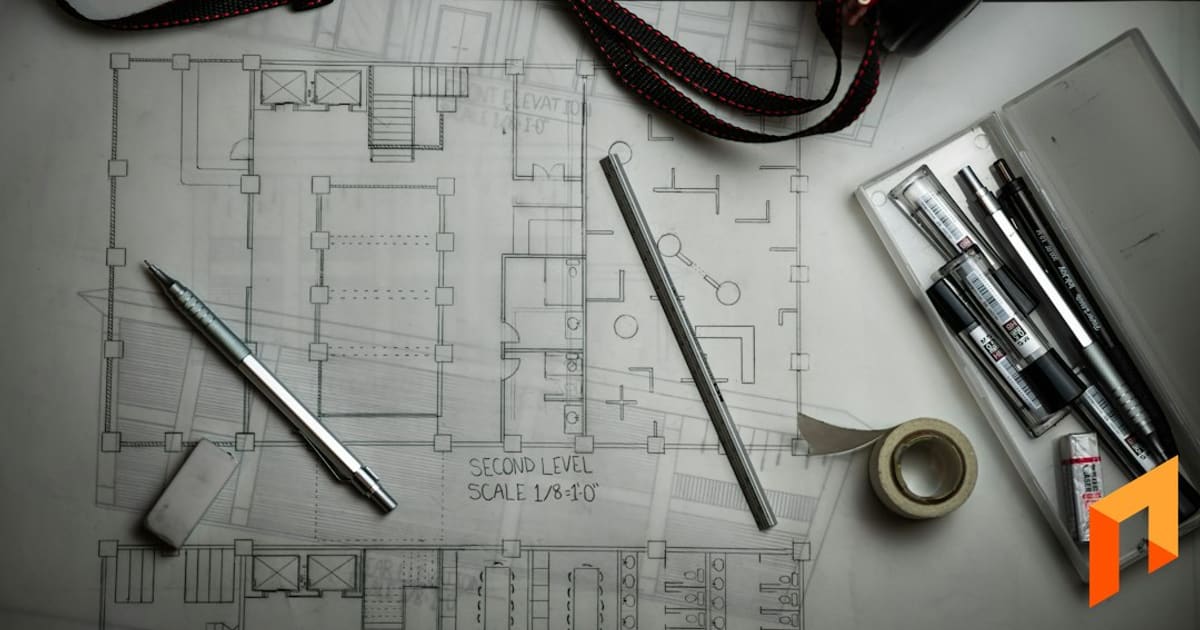
Imagine the electrician working from a printed lighting plan while your project manager reviews a newer PDF on a phone. Both files say “final,” but they put the island pendants in different places. Construction document control is the routine that tells the team which information is current, what it is approved for, and who needs the revision.
Note
TL;DR: Construction document control keeps the current project files identifiable and gets revisions to the people using them. Create a simple register, preserve original references, label status clearly, and separate active working files from superseded copies. Assign someone to review incoming revisions, record their effects, notify affected trades, and verify that old prints or downloaded copies no longer guide the work.
What does construction document control mean for a small crew?
Construction document control means managing the identity, status, distribution, and history of project information. File storage is part of it, but a folder alone does not tell a carpenter whether a sketch is an approved instruction or an option under discussion. Your process should answer that question before work depends on the file.
For a residential contractor, start with four questions:
- What is this file, and which project does it belong to?
- Which revision is it, and what is its permitted use?
- Who needs it before purchasing or installing anything?
- What earlier information does it replace or affect?
Use the same approach for plans, selections, approved changes, inspection records, and handover information. The details vary, but each record needs a recognizable place in the project history.
AIA's G716 instructions ask the person raising a question to identify the drawings, specifications, or other references already reviewed. That is difficult when nobody knows which revision the field used. A clear register makes both planning and clarification more reliable.
The construction RFI example shows how to describe a conflict once you have identified the relevant references. Do not guess the answer merely to make two files appear consistent.
Note
Book a Foreman demo to see how project folders and file discussions fit your review routine.
What belongs in a simple project file register?
A file register is a short index of important project information and its status. It should point to the actual file, identify the source, and show which revision the crew should use. You do not need to catalog every casual progress photo individually. Start with information that controls work, authorizes changes, or supports handover.
Use these columns:
| Field | Illustrative entry |
|---|---|
| Reference | A-202 |
| Title and area | Kitchen elevations |
| Source | Project designer |
| Revision and issue date | Revision C, May 6 |
| Received date | May 7 |
| Status or purpose | Reviewed for the defined installation scope |
| Replaces | A-202 revision B |
| Related decision | Clarification RFI-009; change review CO-004 |
| File location | Current plans folder, named PDF |
| Distribution | Cabinet lead and electrical lead, May 8 |
| Follow-up | Confirm replacement of field print |
Choose status labels your team understands. “Received,” “under review,” “released for defined work,” and “superseded” can be useful, provided someone is responsible for the transition. These are suggested administrative labels, not a substitute for a designer's issue status or contractual approval.
Keep financial authorization distinct. A drawing may clarify a location without authorizing a price increase. Link the applicable change order rather than writing “approved” in a way that conceals what was actually approved and by whom.
How should you name and organize construction files?
Use short, predictable names that preserve the source reference and revision. Organize active information separately from material under review and historical copies. Someone arriving mid-project should be able to find the working plan set without opening a sequence of files called “latest,” “new,” and “final-really-final.”
An illustrative filename is Willow_A-202_Rev-C_2026-05-06.pdf. The revision and date should match the actual issued information. Do not invent a designer's revision label or rename a draft in a way that makes it look formally released.
A simple folder structure could be:
| Folder | Intended contents |
|---|---|
| 01 Current working information | Released plans and relevant current references |
| 02 Review and pending decisions | Drafts, proposed selections, unanswered questions |
| 03 Agreements and approved changes | Executed scope and authorization records |
| 04 Field and inspection records | Reports, inspection results, organized photos |
| 05 Superseded information | Earlier revisions retained for history |
| 06 Handover and service | Manuals, warranties, accepted closeout information |
Use the structure as a working convention rather than a requirement to move every attachment twice. A daily-log photo can remain with its entry if the team knows that location. The photo documentation guide explains how captions and capture dates make that history searchable by people.
Foreman's project Files supports folders and nested folders, and PDFs can be viewed within the project. Naming, review status, and release decisions still require your team's defined process; a file upload does not establish approval.
Note
Book a Foreman demo to see project folders, PDF viewing, and conversations connected to the files your crew needs.
What should happen when a revised plan arrives?
Check the source, compare the affected information, identify downstream effects, and release the revision through the agreed route. Then notify the people who need it and confirm that their working copies changed. Uploading the new PDF is only one step; the risk remains if a trade continues using a saved copy or a print in the trailer.
Consider this hypothetical example. A designer sends revision C of the kitchen elevations, changing a cabinet width and the adjacent outlet position. The manager places it under review, checks its stated purpose, and identifies the cabinet order and electrical rough-in as affected activities.
Before release, the manager asks whether the cabinet order can still change, whether a clarification is needed, and whether the revision has cost or schedule effects. Those questions connect to the selections sheet and lookahead schedule. A small drawing revision can affect a purchase already underway.
Once the required reviews and authorizations are complete, the manager updates the register, sends a concise revision notice, replaces active copies, and retains revision B in the historical location. The notice could read:
Revision notice: Kitchen elevations A-202 revision C replace revision B for the released cabinet layout. Review the marked change at the pantry return. Cabinet and electrical leads: confirm you have replaced your working copies before the affected work starts. Associated cost review is recorded separately in CO-004.
That message explains the affected work instead of relying on “new plans attached.”
How do you control printed plans and downloaded copies?
Treat a printed or downloaded set as a working copy that can become outdated. Label the issue and date, know which crews rely on it, and include replacement in every relevant revision notice. People using unreliable connectivity may need local files, but they still need a clear way to check whether those files are current.
Use a practical release check:
- Identify every affected sheet or file, not just the first page of the set.
- Confirm the intended revision and purpose with the responsible source.
- Tell the trade what changed and which activity is affected.
- Replace or clearly retire outdated working copies.
- Ask the trade to confirm receipt and raise conflicts before proceeding.
- Record the distribution and unresolved actions.
Do not delete historical files just to avoid clutter. Earlier revisions may explain a purchase, field decision, or later question. Retention requirements depend on the project and applicable obligations, so establish your policy deliberately.
A clear history also supports construction warranty requests. When a homeowner reports an issue months later, the team needs the installed selection, relevant instructions, and actual completion record, not an abandoned design option.
How do you protect access and recover missing files?
Give people the access they need for their project role and maintain a recovery process for important information. A shared folder is not a complete backup strategy, and having a backup is not proof that it can be restored. Identify who owns the account, who can recover files, and how the business will retrieve essential records if a device fails.
NIST's 2020 backup guidance defines a backup as a copy for recovery and emphasizes conducting, maintaining, and testing backups. Its 2016 small-business security guide frames access control and contingency planning as part of basic information security. Apply those principles to your chosen services rather than assuming any construction platform meets an unverified recovery promise.
As a practical exercise, choose one completed project and retrieve its final approved scope, latest plans, a selection record, and handover information. Check that another authorized person can do the same. Missing files or unclear revisions tell you exactly where the routine needs repair.
Frequently Asked Questions
Is construction document control only for large projects?
No. A small project can still have conflicting drawings, revised selections, and several trades relying on different copies. Scale the process to the risk: a simple register and clear release routine may be enough. The important result is that everyone can identify the information authorized for the particular work they are about to perform.
Should I delete old drawing revisions?
Keep historical revisions according to your retention obligations, but separate them clearly from active working information. Older versions may explain earlier decisions and purchases. Avoid leaving two plausible current sets side by side. When you retire a revision, record what replaced it and notify anyone using a printed or downloaded copy.
What is the difference between a revision and an approval?
A revision identifies a changed version of the information. Approval or release describes a decision about its use within a particular process. A newer file may still be a draft, and one person's review may not authorize additional cost. Preserve the issuer's status and record the applicable decisions instead of treating newest as automatically approved.
Can a shared drive handle construction file control?
Yes, if the team uses consistent names, a register, defined access, clear status labels, and a reliable distribution routine. The drive provides storage; people still manage review and release. Test retrieval and recovery, and make sure field users know where current files live and how they will be notified of revisions.
Does uploading a plan to Foreman approve it for work?
No. Foreman's Files area helps organize and view project information, but an upload does not replace your review or authorization process. Keep the applicable approvals and discussion with the project, identify the current reference, and tell affected trades when it is released. Follow any additional requirements in the agreement or issued plan set.
Note
Start with the files that control your next week of work and verify the field has the right copies. Book a Foreman demo to see project files and discussions in one place.


