

Get comparable bids from a clearly defined scope
Build a scope from your budget, invite the vendors who should price it, and keep their responses with the project. Compare the numbers and qualifications together before choosing who gets the work.
Trusted by contractors across the country


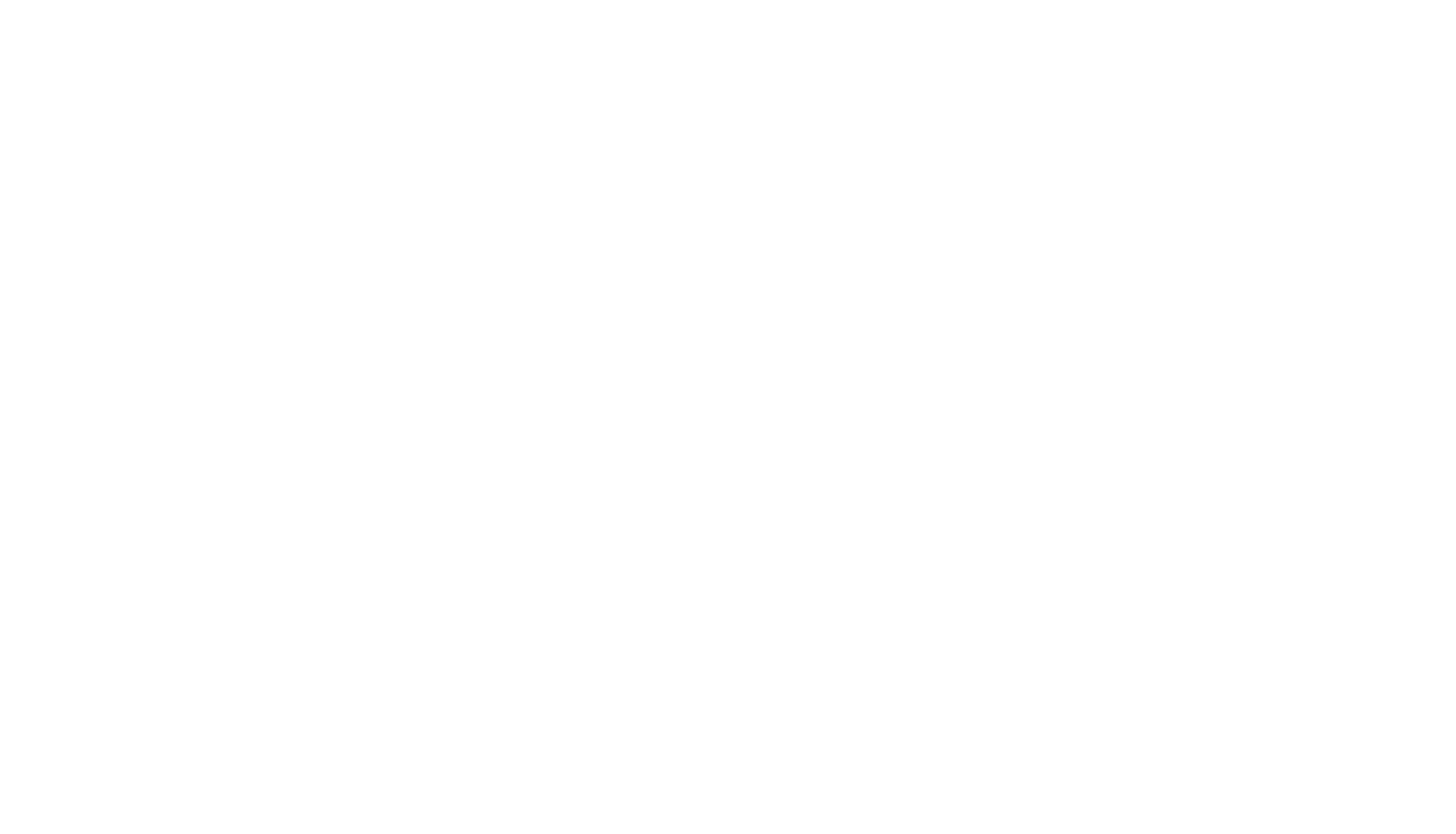





Ask every bidder to price the same work
Choose the budget items that belong in the bid request and set out the scope in one place. Vendors receive the quantities to price without seeing your internal budget costs.
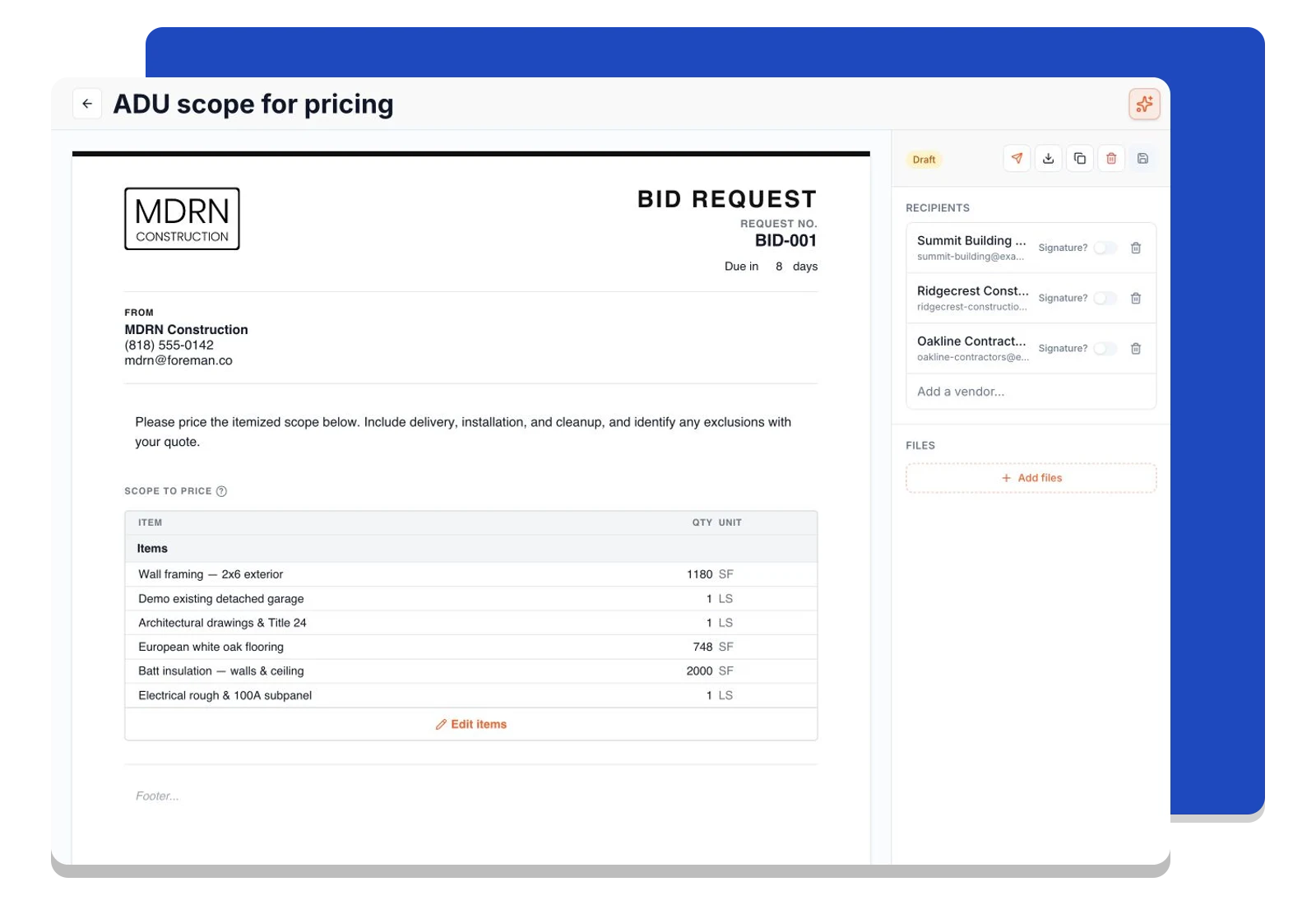
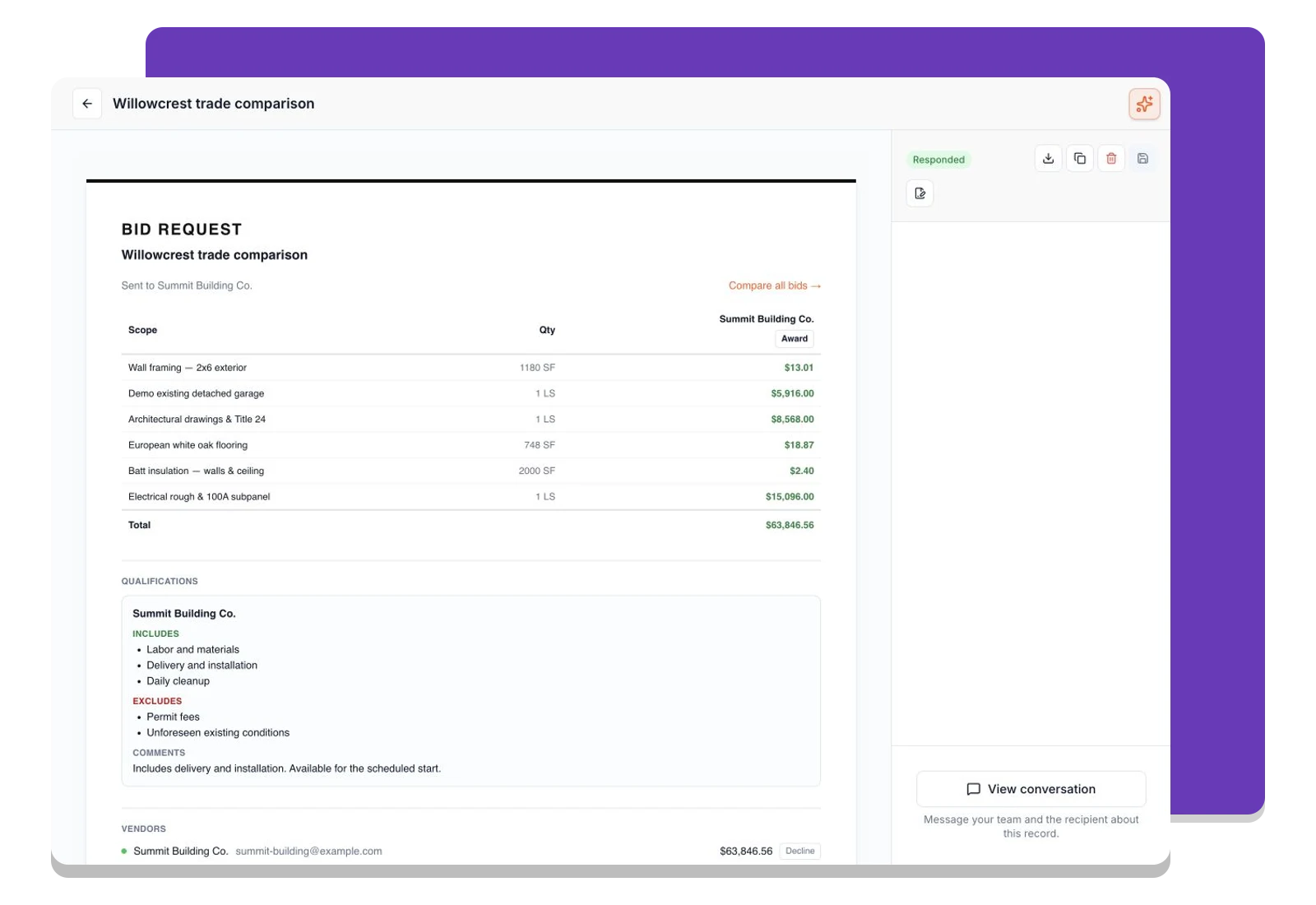
See the prices and the qualifications together
Open the bid comparison to review vendor responses against the same scope. Check line pricing alongside inclusions, exclusions, and comments so a lower total does not hide a different understanding of the work.
Give each vendor a clear place to submit a quote
Each invited vendor gets their own response link and record. They can enter unit costs or line totals and explain what is included, keeping their quote and conversation separate from other bidders.
Frequently asked questions
Contractors run their business on Foreman
Real crews, real projects, real results.
“Kind of obsessed with this honestly. Uploaded plans, had the bid out same afternoon, client signed it online that night. This is how it's supposed to work.”
“They are the real deal, and have helped automate most of our roofing business, highly recommend for midsized crews.”
“One of the best software investments we've made for our business. The organization, estimating, and takeoff tools have significantly improved our efficiency and streamlined our workflow.”
One system for the whole project
The estimate, the schedule, the field and the books in one place.
Win the Work
- Construction CRM
- Budget
- Takeoffs
- Cost Database
- Bid RequestsThis page
- Client Agreements
- E-Signatures
Run the Project
Get started today
Join contractors who’ve put away the spreadsheets and sticky notes.


