

Keep the small tasks from holding up the whole project
Assign follow-ups, set due dates, and track the work between milestones. Give your team one place to see what needs doing and who is responsible.
Trusted by contractors across the country







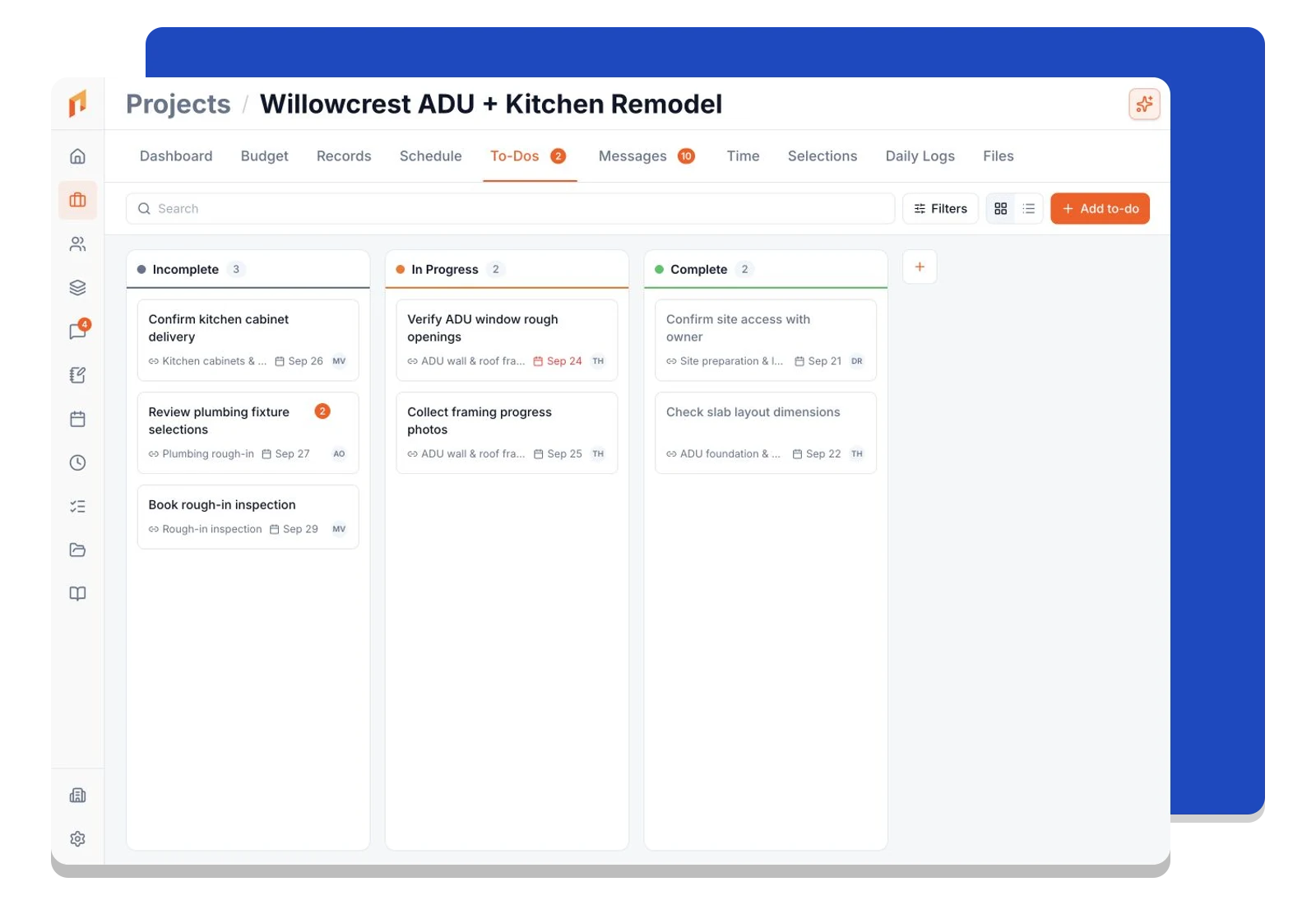
See what is waiting, moving, and finished
Organize to-dos in columns that fit the way your team works. Move cards as work progresses and keep project follow-ups visible alongside the rest of the team's work.
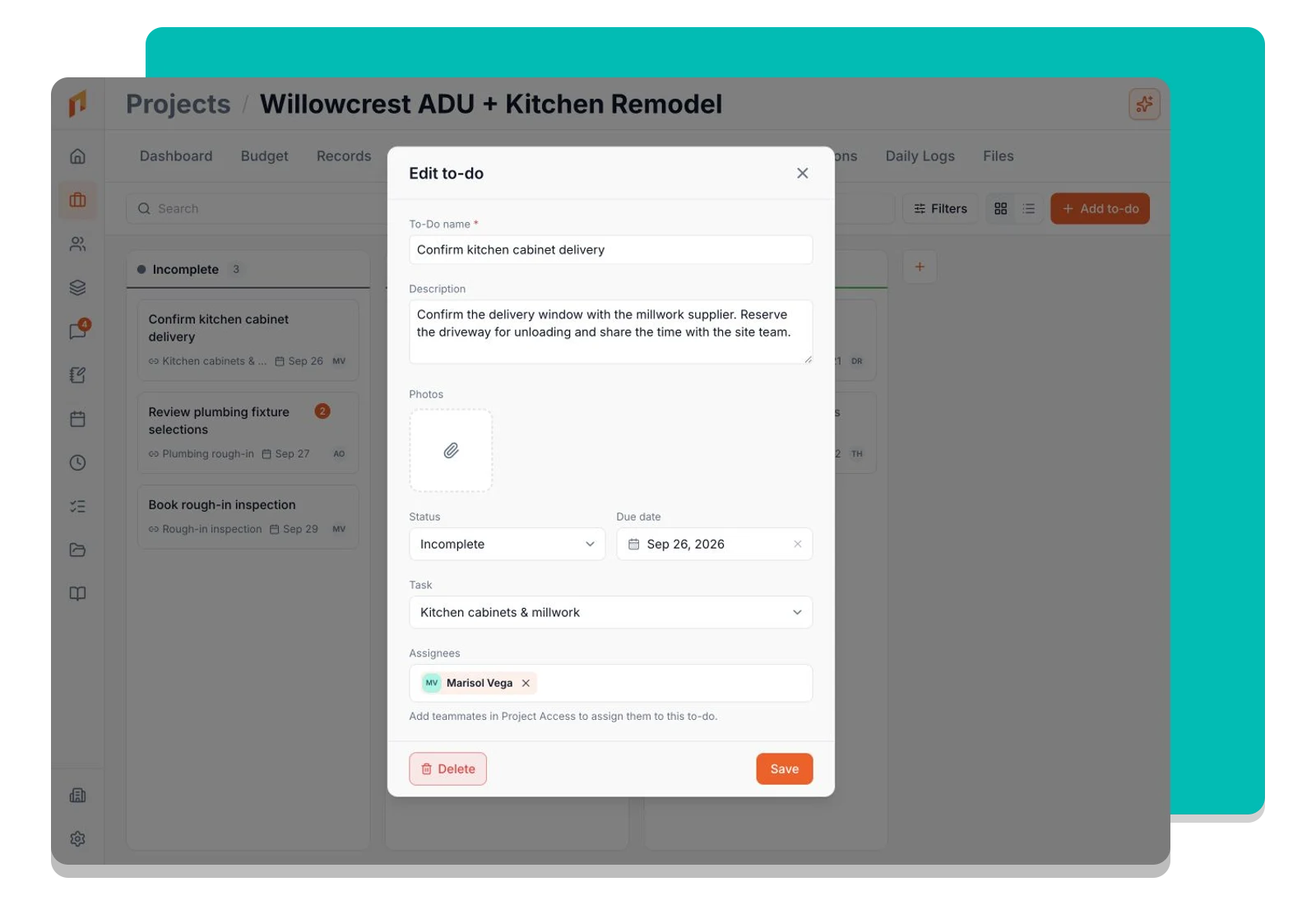
Put the details next to the assignment
Add a due date, assign team members, and include the notes and files they need. Link a to-do to a scheduled task when it supports a larger piece of the project.
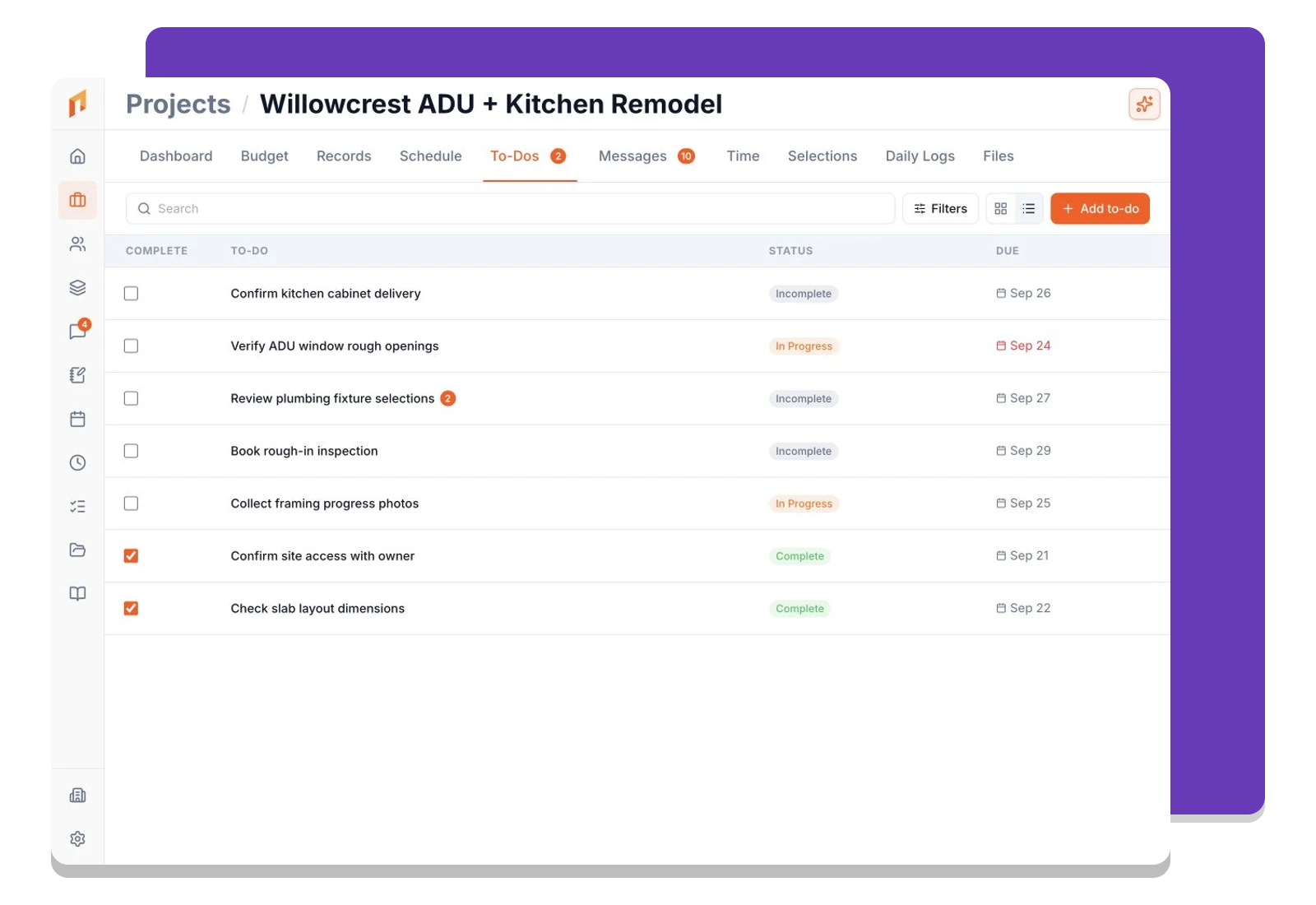
Work through the day in the view that suits you
Switch to a list for a compact view of assignments and due dates. Use the company view to follow work across projects, then filter down to the tasks that need your attention.
Frequently asked questions
Contractors run their business on Foreman
Real crews, real projects, real results.
“Kind of obsessed with this honestly. Uploaded plans, had the bid out same afternoon, client signed it online that night. This is how it's supposed to work.”
“They are the real deal, and have helped automate most of our roofing business, highly recommend for midsized crews.”
“One of the best software investments we've made for our business. The organization, estimating, and takeoff tools have significantly improved our efficiency and streamlined our workflow.”
One system for the whole project
The estimate, the schedule, the field and the books in one place.
Run the Project
Get started today
Join contractors who’ve put away the spreadsheets and sticky notes.


