

From completed work to collected payment
Build invoices from your project budget, send clients a clear breakdown, and keep payments with the work they cover. Deposits, progress draws, and final invoices all stay on the project.
Trusted by contractors across the country







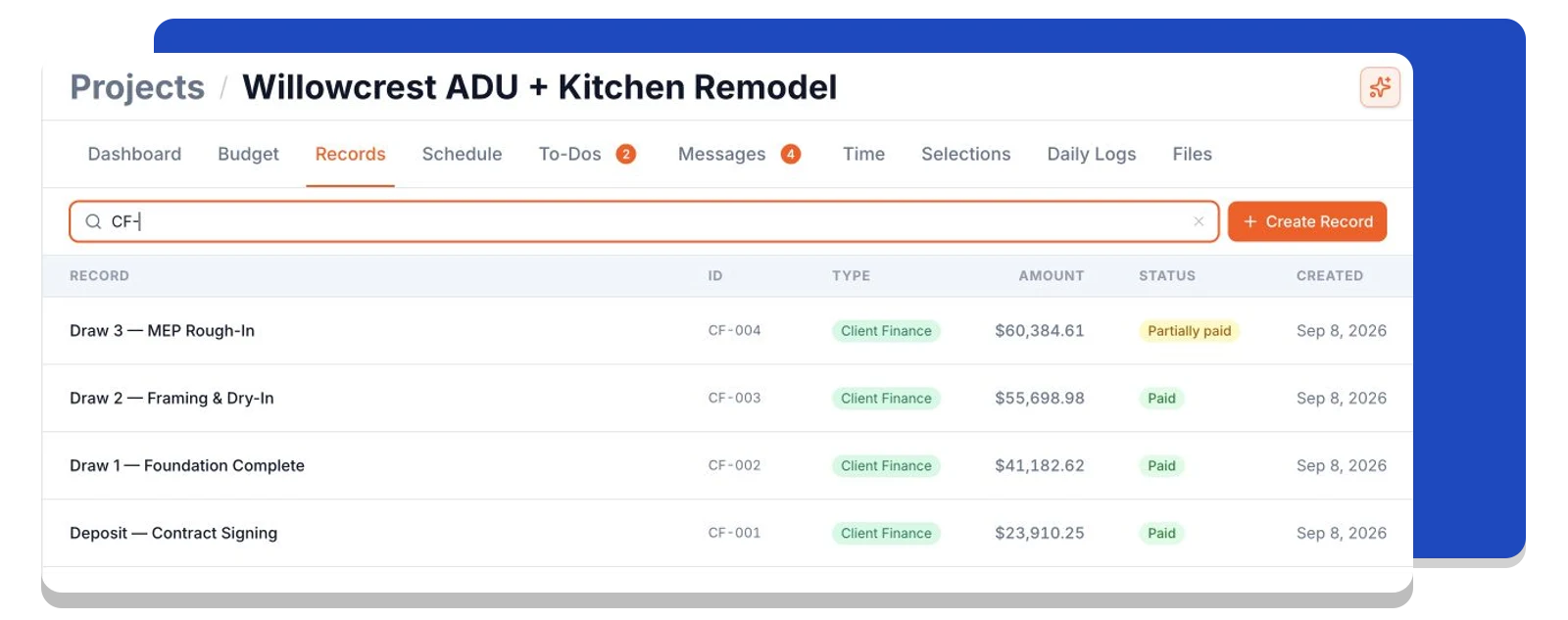
Know which invoices still need attention
Keep every client invoice in the project's Records list. See its amount and status, then open the invoice to review what was billed and what has been paid. Your team has one place to follow the billing history.
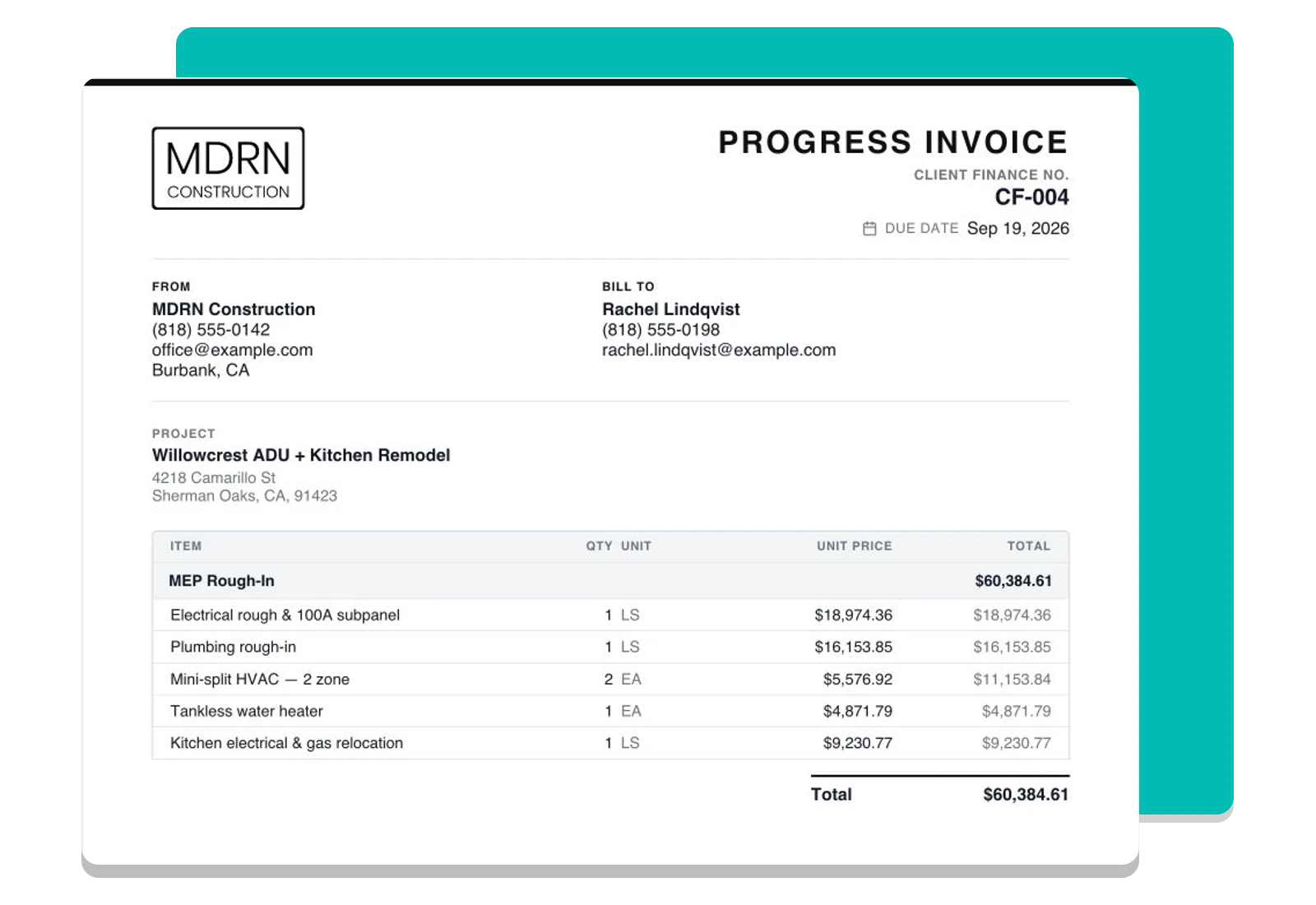
Invoice the work you already priced
Choose the budget items you want to bill, adjust the quantities and amounts, and review the invoice on the page. Add your payment terms and supporting files before sending it to the client.
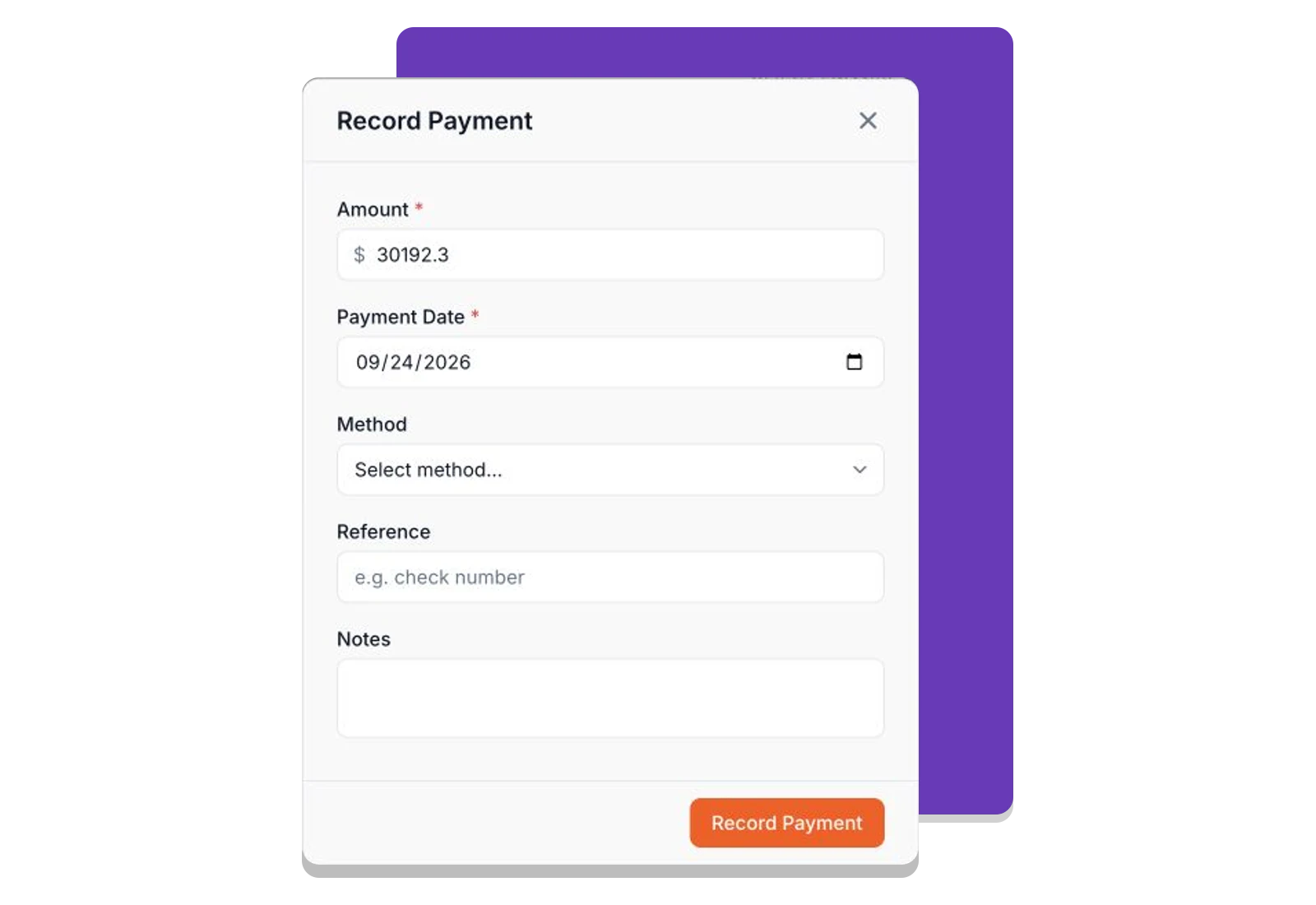
Keep every payment against the right invoice
Record the amount, date, and method for payments received outside Foreman. Partial payments stay on the invoice, so your team can follow the balance alongside payments made online through Stripe.
Frequently asked questions
Contractors run their business on Foreman
Real crews, real projects, real results.
“Kind of obsessed with this honestly. Uploaded plans, had the bid out same afternoon, client signed it online that night. This is how it's supposed to work.”
“They are the real deal, and have helped automate most of our roofing business, highly recommend for midsized crews.”
“One of the best software investments we've made for our business. The organization, estimating, and takeoff tools have significantly improved our efficiency and streamlined our workflow.”
One system for the whole project
The estimate, the schedule, the field and the books in one place.
Run the Project
Get Paid
- Client FinancesThis page
- Change Orders
- Purchase Orders
- Vendor Finances
- Time Tracking
- QuickBooks Sync
Get started today
Join contractors who’ve put away the spreadsheets and sticky notes.


