

Put every order against the project budget
Build purchase orders from the items you estimated, send clear terms to your vendors, and follow the order through acceptance and delivery. Keep what you promised to buy connected to what you planned to spend.
Trusted by contractors across the country







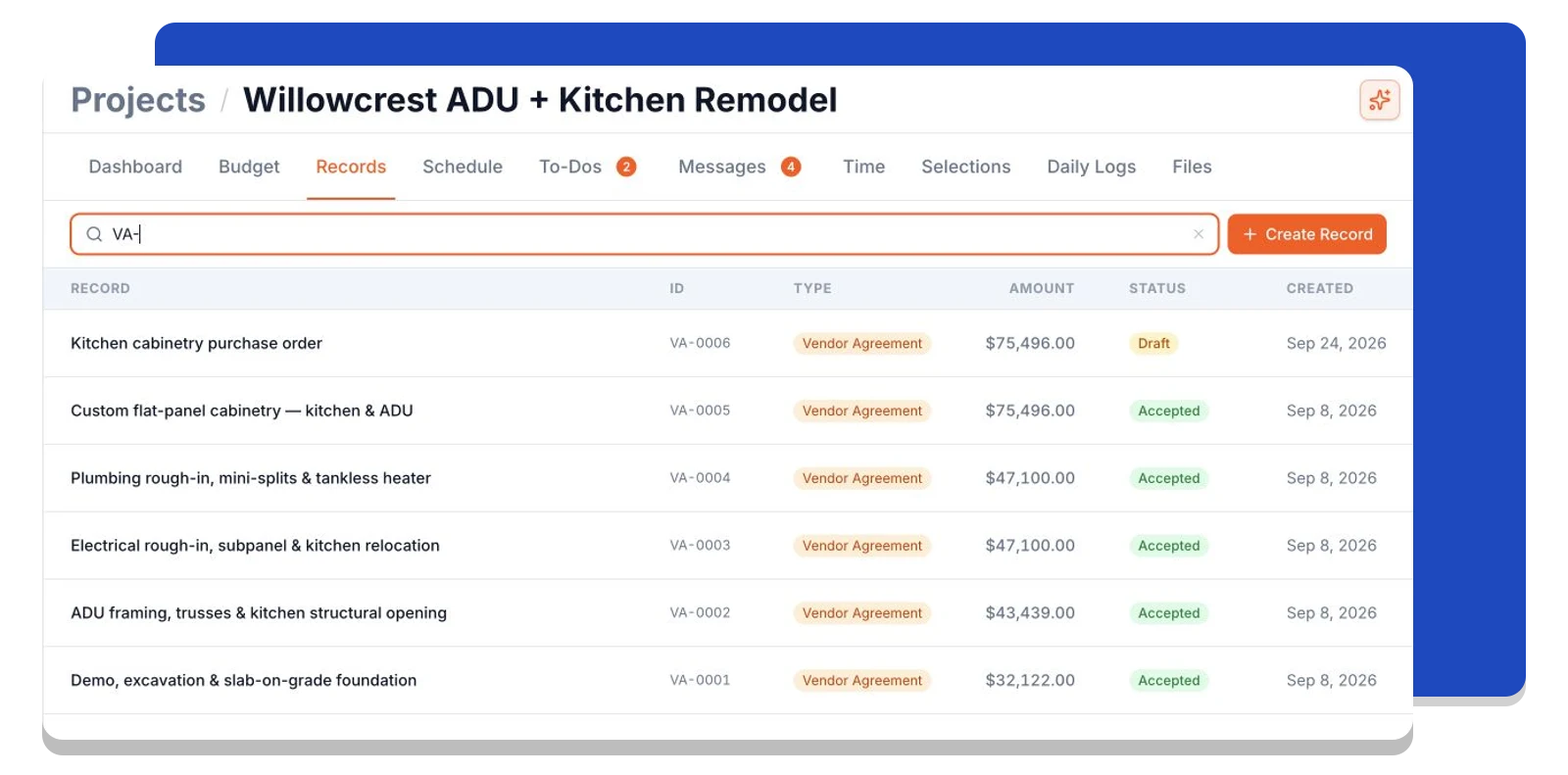
Find every vendor commitment in one place
Keep purchase orders and work orders together in the project's Records list. See each agreement's status and amount, then open the order to check the scope, vendor response, and supporting files.
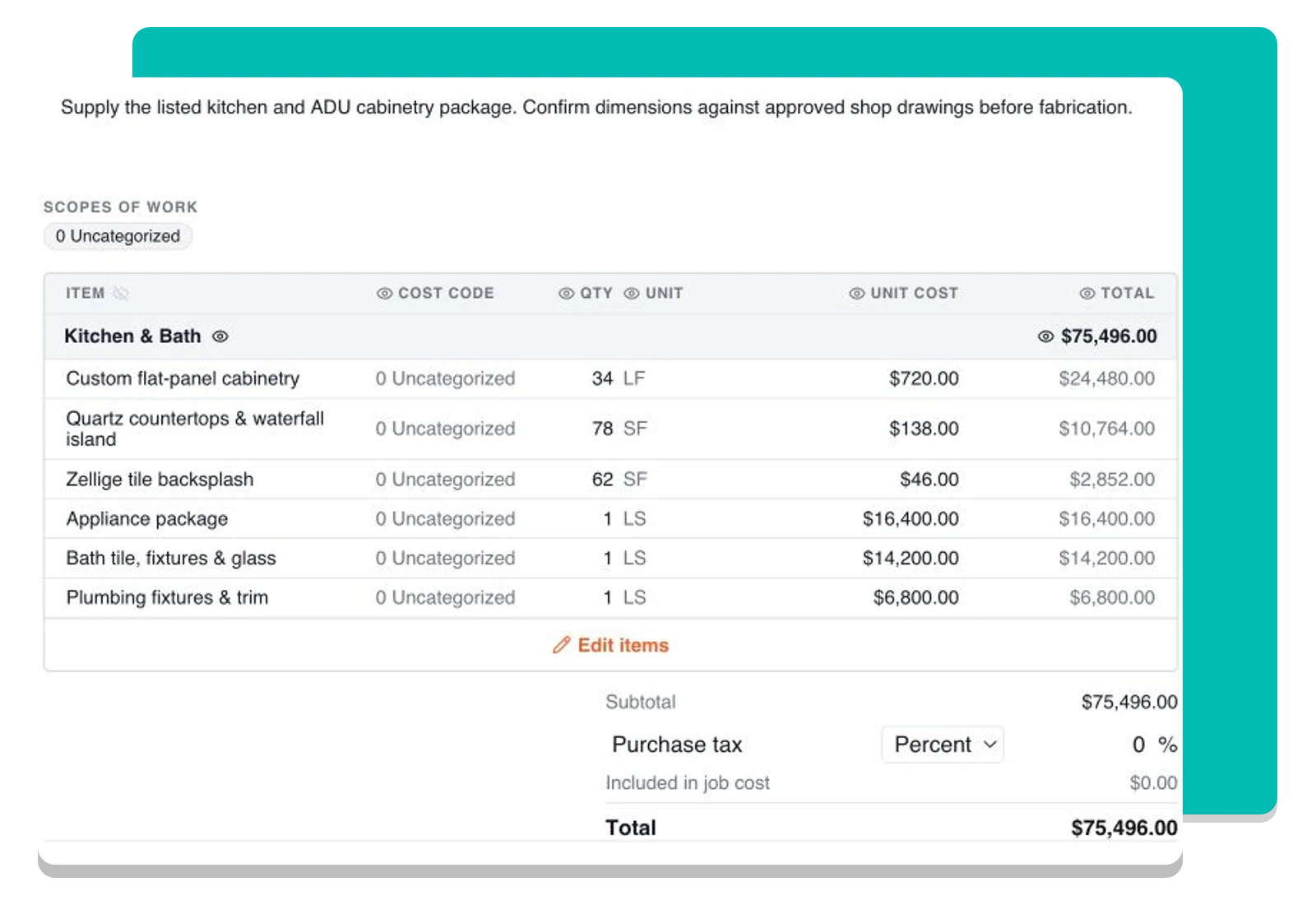
Order from the quantities you already estimated
Choose budget items to build the order, then confirm quantities, pricing, and terms before sending. The link to the budget stays with each item, so accepted orders feed committed cost on the right lines.
Know what was accepted and what has arrived
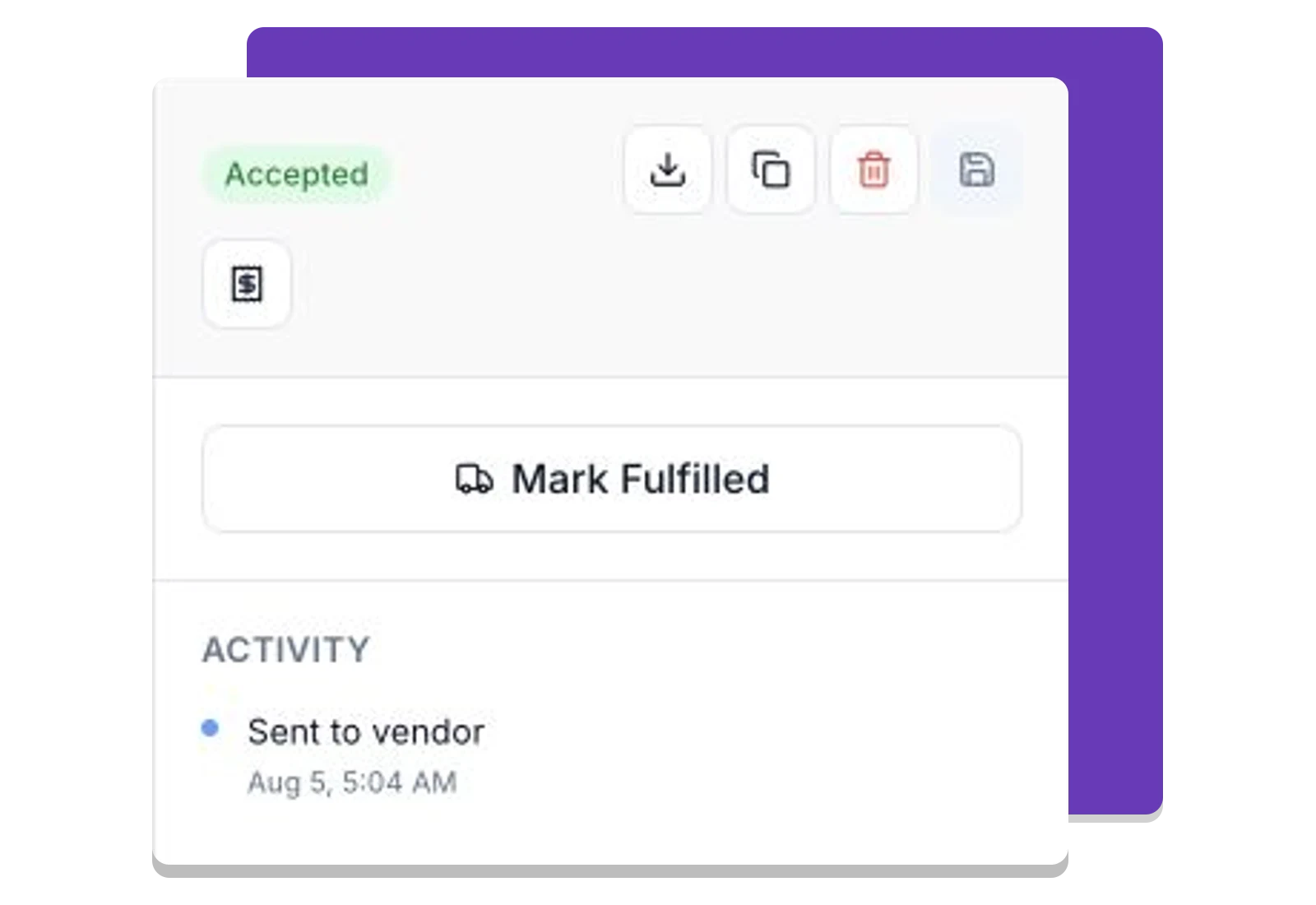
Vendors review the order online and sign when required. Track their response, keep the agreed terms on the project, and mark an accepted order fulfilled when the materials arrive or the work is complete.
Frequently asked questions
Contractors run their business on Foreman
Real crews, real projects, real results.
“Kind of obsessed with this honestly. Uploaded plans, had the bid out same afternoon, client signed it online that night. This is how it's supposed to work.”
“They are the real deal, and have helped automate most of our roofing business, highly recommend for midsized crews.”
“One of the best software investments we've made for our business. The organization, estimating, and takeoff tools have significantly improved our efficiency and streamlined our workflow.”
One system for the whole project
The estimate, the schedule, the field and the books in one place.
Run the Project
Get Paid
- Client Finances
- Change Orders
- Purchase OrdersThis page
- Vendor Finances
- Time Tracking
- QuickBooks Sync
Get started today
Join contractors who’ve put away the spreadsheets and sticky notes.


